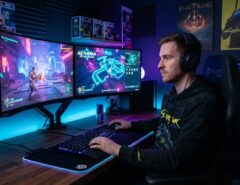
You can improve your FPS aim without buying a $150 mouse or a new monitor a handful of gadgets under $50 can measurably tighten your accuracy within a few sessions. The trick isn’t spending more; it’s spending on the right things: a mouse with a sensor that tracks cleanly, a surface that gives consistent glide, and small accessories that remove the tiny inconsistencies that throw off your flicks and tracking.
Most players assume better aim only comes from hundreds of hours in aim trainers or expensive peripherals. That’s only half true. Your hardware sets the ceiling for how precise your inputs can be if your mouse skips, your pad drags unevenly, or your desk wobbles mid-flick, no amount of practice fully cancels that out.
This guide breaks down which budget gadgets genuinely move the needle on aim, how to set each one up correctly, and which “aim gadgets” are mostly marketing hype not worth your money.
Why Cheap Gadgets Can Still Improve Your Aim
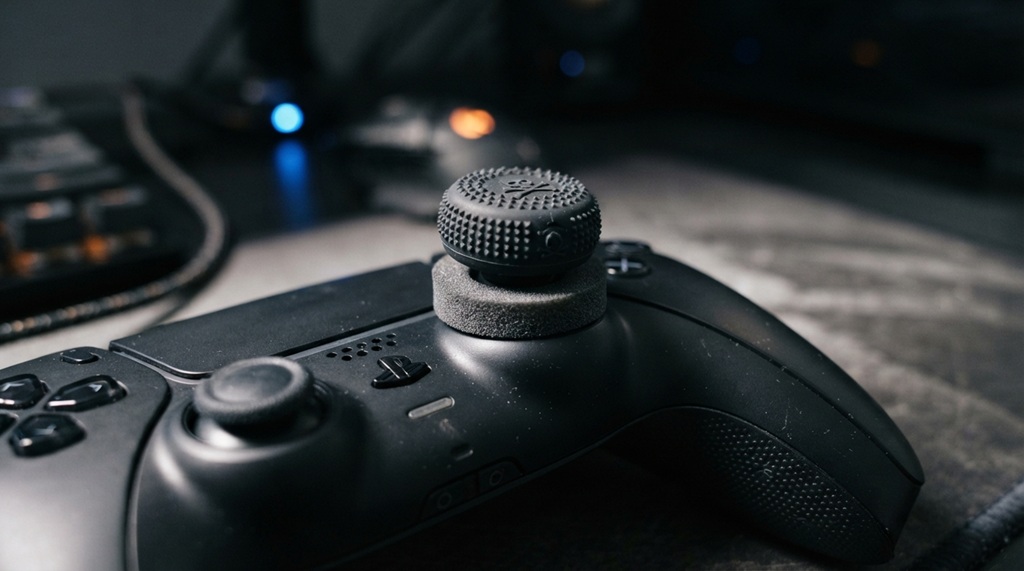
Cheap doesn’t mean ineffective it means the gadget solves one specific mechanical problem instead of trying to be an all-in-one premium package. Under $50, you’re paying for a focused improvement, not brand prestige or unnecessary extras like RGB lighting or app ecosystems.
Aim consistency depends on a chain of small factors: how your mouse tracks movement, how smoothly it glides across a surface, how stable your wrist and forearm are, and how quickly your inputs register on screen. Each gadget in this list targets one link in that chain. A $30 mousepad won’t fix a bad sensor, and a new mouse won’t fix a sticky, uneven desk surface but stacking two or three of these fixes together compounds the benefit.
According to industry experts in competitive gaming peripherals, sensor consistency and surface control tend to matter more for practical aim improvement than raw specs like DPI ceiling, which is why budget gear focused on those basics can outperform pricier gadgets built around flashy features.
Why Your FPS Aim Depends on the Right Budget Mouse
An entry-level FPS mouse under $50 transforms your crosshair control by replacing inconsistent sensor tracking with pixel-precise optical reporting—preventing the cursor skip and hand fatigue that ruin muscle memory during intense tracking duels. However, even a high-precision sensor cannot fix poor micro-adjustments if the mouse’s shell shape, weight, or cable drag conflict with your natural grip style, making it essential to evaluate your fundamental hardware needs alongside specialized accessories like grip tape or cord bungees. To ensure your foundational setup actually supports your mechanical playstyle before you invest in fine-tuning tools, explore buy the best gaming gadgets for beginners.
What to Look for in a Sub-$50 Mouse
Prioritize three things: a reliable optical sensor (avoid unbranded sensors with inconsistent tracking), a lightweight shell (under 80g ideal, though 90-100g is still workable), and a shape that matches your grip style claw, palm, or fingertip. Weight matters more than most players expect; a lighter mouse means less arm fatigue by round 20, which directly affects late-match aim consistency.
Common Mistake Players Make Here
Many players chase high DPI numbers assuming higher equals better. In reality, most competitive FPS players use surprisingly low sensitivity settings (often 400-800 DPI with a low in-game multiplier) because it’s easier to control fine adjustments. A budget mouse with a clean 800-1600 DPI sensor is plenty you don’t need a 20,000 DPI flagship sensor to aim well.
Mousepads That Actually Affect Your Aim Precision
A good mousepad under $20 improves aim precision by giving your mouse a consistent glide surface, which reduces the micro-stutters that throw off tracking and flick shots.
Cloth vs. Hard Surface Pads
Cloth pads offer more control and are more forgiving for tracking-heavy aim (following a moving target smoothly), while hard surface pads offer more speed and are often preferred for flick-heavy playstyles. If you’re not sure which fits your style, a mid-sized cloth pad is the safer starting point since it works reasonably well for both tracking and flicking.
Size Actually Matters More Than Most People Think
A pad that’s too small forces you to lift and reposition your mouse mid-fight, breaking your aim rhythm at the worst possible moment. Budget for at least a medium pad (roughly 12×10 inches) so your full arm swing fits without repositioning this alone eliminates a surprising number of missed flicks caused by running out of pad space.
Mouse Bungees and Cable Management Tools
A mouse bungee (typically $10-25) improves aim by eliminating cable drag, which otherwise creates tiny resistance spikes during fast flicks that throw off your accuracy.
Cable drag is one of the most overlooked aim killers because it’s inconsistent sometimes your cable pulls slightly, sometimes it doesn’t, which means your muscle memory can never fully adapt to it. A bungee holds the cable slack in one fixed point above your mousepad so the cable never touches the desk or drags against your mouse’s movement. If you’re using a wired mouse and haven’t tried a bungee, this is one of the cheapest, most underrated upgrades on this list many players notice a difference in their very first session.
If your mouse is wireless, this tip doesn’t apply to you, so consider redirecting that budget toward a better pad or a wrist rest instead.
Wrist Rests and Ergonomic Supports Under $20
A wrist rest improves aim indirectly by reducing arm fatigue and wrist strain, which helps you maintain precise micro-adjustments deeper into long sessions or matches.
Fatigue is a silent aim killer. Your first few rounds might feel sharp, but by round 15-20, a tired wrist starts overcorrecting or undercorrecting on flicks without you realizing it. A simple gel or memory foam wrist rest keeps your wrist in a more neutral position, which reduces the small trembles and overcompensations that creep in during long sessions. This won’t make you aim better in isolation, but it protects the aim quality you already have from degrading over time which matters just as much in ranked sessions that run for hours.
Monitor Stands and Positioning Tools
Correct monitor height and distance can improve your aim consistency by keeping your eyes and crosshair reference point stable, since constant head-tilting or leaning subtly throws off your target tracking.
A cheap monitor stand or riser (often under $30) lets you set your screen so the center of the display sits roughly at eye level. If you’re currently looking down at your monitor, your neck angle changes slightly round to round depending on posture, and that inconsistency translates into inconsistent aim reference points even though most players never connect the two. This is a genuinely underrated fix that rarely appears in typical “aim gear” articles, because it’s about your setup, not your peripherals directly.
Budget Aim Trainers and Software Tools (Free or Under $10)

Free or near-free aim trainers like Kovaak’s or Aim Lab build muscle memory and consistency, and they matter just as much as your hardware arguably more, since even perfect gear won’t fix fundamentally inconsistent mechanics.
Pairing Software With Your New Hardware
Once your mouse, pad, and desk setup are solid, spend 10-15 minutes before each session on flick and tracking drills using a free aim trainer. This isn’t a gadget you buy, but it’s the multiplier that makes every hardware fix above actually translate into in-game results hardware removes obstacles, but drills build the actual skill.
Sensitivity Matching Tools
Many aim trainers let you match your exact in-game sensitivity and FOV settings, which means your practice reps transfer directly to your actual gameplay instead of training a slightly different motion. Spend five minutes getting these settings to match exactly before you start drilling mismatched sensitivity between your trainer and your game can actually work against your aim consistency.
FAQ: Improving FPS Aim on a Budget
Do expensive gaming mice actually aim better than budget ones?
Not inherently most budget mice under $50 now use reliable sensors that track just as accurately as premium models. The price difference in expensive mice usually pays for extra buttons, materials, or brand features rather than raw aiming performance.
What’s the single best budget gadget to start with for better aim?
A quality mousepad is usually the best first purchase because it directly affects glide consistency for a small cost, often under $20. It’s also the easiest gadget to test the difference immediately after switching.
Can a wrist rest actually make my aim worse?
It can if it’s positioned too high or forces an awkward wrist angle, so proper height adjustment matters more than the product itself. Test a few hand positions when you first set it up rather than assuming any wrist rest automatically helps.
How long does it take to notice improved aim after upgrading gear?
Surface and cable-related upgrades (pads, bungees) often feel different within your first session since they change physical feedback immediately. Skill-based improvements from aim trainers typically take one to two weeks of consistent practice to show up in actual matches.
Is DPI or sensitivity more important for aim improvement?
Sensitivity (your effective in-game speed) matters far more than raw DPI number, since most competitive players use low-to-moderate sensitivity for finer control. A budget mouse with modest DPI paired with the right sensitivity will outperform a high-DPI mouse set too fast to control.
Conclusion
Improving your FPS aim doesn’t require a premium setup it requires fixing the small mechanical inconsistencies that quietly work against you every match. A clean-tracking budget mouse, a properly sized pad, a bungee for cable drag, a wrist rest for fatigue, and correct monitor positioning together cost well under $50 each, and each one removes a specific obstacle between your intent and your crosshair placement. Pair those fixes with consistent aim trainer practice, and you’ll likely notice real accuracy gains within a couple of weeks no expensive upgrade required.