
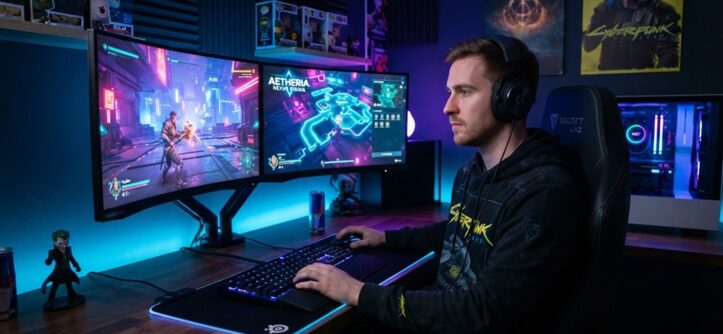
Choosing the best gaming tech comes down to three things: your budget, your favorite games, and how you play. Match your hardware to those three factors, and you get smooth frame rates, quick response times, and a setup that lasts for years. Skip that match-up, and you waste money on power you don’t need or worse, you buy gear that can’t keep up.
This guide breaks down exactly what to look for. You’ll learn how to pick the right components, peripherals, and accessories without falling for marketing hype or overspending on features you’ll never use.
Start With Your Games, Not Your Budget
Your game choice should drive every hardware decision you make. Different games demand different things from your system, and buying backward hardware first, games second almost always leads to regret.
Competitive and Esports Titles
Games like Valorant, CS2, and Fortnite reward speed over visual detail. A high refresh rate monitor (144Hz or higher) and a fast response time matter more here than a top-tier graphics card. Many pro players run lower graphics settings on purpose. They want a competitive edge from frame rate, not eye candy.
AAA and Story-Driven Games
Titles like Cyberpunk 2077 or the latest Assassin’s Creed lean hard on visuals. Here, a strong GPU and a good monitor with accurate colors make a real difference. Ray tracing and 4K resolution also become worth considering.
Multiplayer and Live-Service Games
Games like Warzone or Apex Legends sit in the middle. You need solid frame rates and a stable internet connection. A wired connection often beats Wi-Fi for this category, since it cuts down on lag spikes during matches.
Practical tip: List your top three games before you buy anything. Check their official system requirements, then aim for hardware that beats the “recommended” specs, not just the “minimum” ones. This one step prevents more buyer’s remorse than any other on this list.
Pick the Right Graphics Card for Your Resolution
Your GPU choice should match your monitor’s resolution, not the other way around. A mismatch here wastes money in both directions.
If you game at 1080p, a mid-range GPU handles most modern titles at high settings. You don’t need a flagship card for this resolution the extra power often goes unused. If you game at 1440p, you’ll want a card one tier up. This resolution needs more processing power to stay smooth, especially in demanding titles. If you game at 4K, only high-end cards deliver consistently strong frame rates here. Budget cards will struggle and force you to lower settings anyway.
According to industry experts, GPU prices fluctuate often due to supply, demand, and new model releases. Check current pricing and benchmark comparisons before you buy, since last year’s “best value” card may no longer hold that title.
Don’t Overlook Your CPU and RAM
Your processor and memory work behind the scenes, but skimping on either creates bottlenecks that hurt performance no matter how good your graphics card is.
Choosing a CPU
A powerful GPU paired with a weak CPU creates a bottleneck. Your graphics card sits idle, waiting for the processor to catch up. This shows up as stuttering, even when your frame rate looks fine on paper. For most gamers, a mid-range modern CPU pairs well with a mid-to-high-range GPU. Save the flagship processors for heavy multitasking, streaming, or video editing alongside gaming.
RAM: How Much Do You Need?
16GB of RAM covers most current games comfortably. 32GB helps if you stream, run Discord, browser tabs, and Chrome extensions all at once while gaming. Anything beyond 32GB rarely improves gaming performance directly, though it can help other tasks running in the background.
Choose Storage That Keeps Load Times Low

An SSD, not a traditional hard drive, should be your storage choice for gaming in 2026. The difference in load times is dramatic and immediately noticeable.
A solid-state drive (SSD) loads games in seconds. A traditional hard drive (HDD) can take minutes for the same task. NVMe SSDs push this even further, cutting load times beyond what a standard SATA SSD offers.
Here’s a simple storage guide:
- 500GB SSD: Fine if you install only a few games at a time and uninstall older ones regularly.
- 1TB SSD: A comfortable middle ground for most gamers with a growing library.
- 2TB or more: Worth it if you play multiple large AAA titles and hate deleting games to make room.
Some games now load specific textures and assets faster on NVMe drives, particularly open-world titles with large maps. If you play these often, the upgrade pays off in smoother gameplay, not just shorter load screens.
Match Your Monitor to Your Playstyle
Your monitor is the ultimate lens through which your entire rig performs, yet it remains the most frequently overlooked bottleneck in high-end setups. Pairing a powerful GPU with a mediocre display effectively discards half your system’s rendering potential, making hardware synergy essential. For fast-paced, competitive titles, prioritize refresh rates upgrading from a standard 60Hz panel to a 144Hz or 240Hz display yields dramatically smoother motion tracking and sharper visual clarity during rapid camera movements. Pair high refresh rates with ultra-low response times to eliminate motion blur and ghosting, ensuring split-second reactions in twitch shooters are rendered without delay. Panel selection also dictates your visual experience: IPS panels deliver rich color accuracy and wide viewing angles ideal for cinematic immersion, whereas TN or specialized OLED panels excel in raw speed and minimal motion artifacting. However, raw resolution must remain balanced with your graphics card’s actual output capacity; pushing a native 4K display is pointless if your GPU cannot sustain high frame rates at that pixel density. Beyond baseline spec sheets, always evaluate independently tested input lag the true metric of internal processing delay that manufacturers rarely publish and pair your visual speed with optimized inputs by learning set up custom gaming controls for speed to eliminate total system latency from eye to hand.
Invest in Peripherals That Match Your Genre
Your mouse, keyboard, and headset directly affect how you play, and the “best” choice depends heavily on what genre you play most.
Mice
Competitive shooter players often prefer lightweight mice with high-precision sensors. Strategy and MMO players may prefer mice with extra programmable buttons for quick commands. Sensor accuracy (DPI and polling rate) matters more than flashy RGB lighting for actual performance.
Keyboards
Mechanical keyboards offer tactile feedback and durability that most membrane keyboards can’t match. Switch type changes the feel: linear switches suit fast repeated inputs, while tactile switches help you feel each keypress, which some players prefer for accuracy.
Headsets
Positional audio matters most in games where sound cues reveal enemy locations, like footsteps in a shooter. A comfortable fit matters just as much as sound quality if you play for hours at a time, since discomfort becomes a real distraction during long sessions.
Don’t Forget Your Internet Connection and PC Cooling
Two things quietly ruin gaming performance, and neither one shows up on a spec sheet: an unstable connection and poor cooling.
A wired Ethernet connection beats Wi-Fi for online gaming almost every time. Wi-Fi introduces more latency and packet loss, both of which cause lag spikes during matches. If Ethernet isn’t possible, a dedicated gaming router with Quality of Service (QoS) settings can help prioritize your gaming traffic over other household internet use.
Cooling matters more than most new gamers realize. Overheating components throttle their own performance to protect themselves, which quietly tanks your frame rate during long sessions. Good airflow, a quality CPU cooler, and clean dust filters keep your system running at full power instead of holding back to stay safe.
Frequently Asked Questions
What’s the single most important upgrade for gaming performance?
For most gamers, the GPU delivers the biggest visible improvement, especially for demanding or graphically rich games. That said, if your CPU or RAM is severely outdated, upgrading those first prevents a bottleneck that limits your new GPU’s potential.
Do I need a high-end PC to enjoy modern games?
No. Many popular games run well on mid-range hardware, especially at 1080p with balanced settings. High-end PCs matter most for 4K gaming, ray tracing, or running the newest AAA titles at maximum settings.
Is console or PC better for ultimate gaming performance?
Consoles offer simplicity, a fixed cost, and guaranteed compatibility with their exclusive titles. PCs offer more customization, higher performance ceilings, and access to a wider game library, but usually at a higher upfront cost. The “better” choice depends on your budget and how much control you want over your setup.
How often should I upgrade my gaming tech?
Most gamers upgrade their GPU every three to four years and their full system every five to six years. Storage and RAM can often be added incrementally instead of replacing the whole system, which stretches your budget further.
Does RGB lighting actually improve gaming performance?
No, RGB lighting is purely cosmetic and has no effect on performance. It’s worth buying only if you personally enjoy the look, not because it makes your system faster or more powerful.
Conclusion
The best gaming tech isn’t the most expensive tech it’s the tech that matches your games, your budget, and how you actually play. Start with your favorite games, build around their real requirements, and avoid paying for power you’ll never use. Focus on the GPU and monitor for visual performance, the CPU and RAM to avoid bottlenecks, and don’t ignore the quieter factors like cooling and your internet connection. Get those pieces right, and you’ll build a setup that delivers real, lasting performance not just an impressive spec sheet.


