Minecraft, a world of endless possibilities, beckons explorers and builders alike. But navigating its vast landscapes, from sprawling forests to treacherous mountains, can be daunting. That’s where maps come in. These invaluable tools transform your Minecraft experience, guiding your explorations, marking important locations, and even becoming decorative pieces in your builds. This comprehensive guide delves into the intricacies of Minecraft maps, covering everything from crafting to advanced techniques, ensuring you never lose your way again.
Crafting Your First Minecraft Maps
Creating a map in Minecraft is a straightforward process, requiring only readily available resources. Here’s how:
- Gather Sugar Cane: Venture to a nearby river or lake where sugar cane grows abundantly. Harvest nine sugar cane stalks.
- Craft Sugar Cane into Paper: Open your crafting table and arrange the sugar cane in the grid to create nine pieces of paper.
- Obtain a Compass: Compasses are crafted using four iron ingots and one piece of Redstone dust. Mine iron ore underground and smelt it into ingots. Redstone dust can be found in the deeper layers of the world.
- Combine Paper and Compass: Place the compass in the center of the crafting grid and surround it with the nine pieces of paper. This will create an empty map.
Understanding Minecraft Maps Basics
Your newly crafted map starts blank, representing the area around you when you first right-click to activate it. Master Minecraft maps with expert tips on navigation, exploration, and cartography. As you explore, the map dynamically fills in, revealing terrain features, bodies of water, and even structures you’ve built. Plus, learn essential skills like how to make smooth stone in Minecraft.
- Map Scale and Zooming: Initially, your map has a zoom level of 1:1, showing a relatively small area. You can zoom out the map up to four times by surrounding it with more paper in the crafting grid. Each zoom level increases the area covered by the map, offering a broader perspective of your surroundings.
- Map Centering: The map centers on your location when you first activate it. If you create a map far from your base, it might not be very useful for navigating back home. To center a map on your current location, simply hold it and right-click.
- Map Markers: You can add markers to your maps using banners. Place a banner in the world and right-click on it while holding the map to mark its location. This is incredibly helpful for highlighting points of interest like villages, mineshafts, or your own hidden bases.
Exploring Different Map Types
Minecraft offers several types of maps, each serving a unique purpose:
- Locator Maps: These are the standard maps you craft, providing a detailed overview of the terrain.
- Empty Maps: These are simply maps without any exploration data, ready to be filled in.
- Explorer Maps: These special maps pinpoint the location of the nearest Ocean Monument or Woodland Mansion, valuable structures with unique loot. You can obtain explorer maps from Cartographer villagers.
Advanced Mapping Techniques
- Cloning Maps: You can create copies of your maps by placing the original map alongside an empty map in the crafting grid. This is useful for sharing maps with friends or creating backups.
- Locking Maps: To prevent accidental modifications to a map, you can lock it by placing it in a cartography table and combining it with a glass pane. Locked maps cannot be zoomed out further or have new areas explored on them.
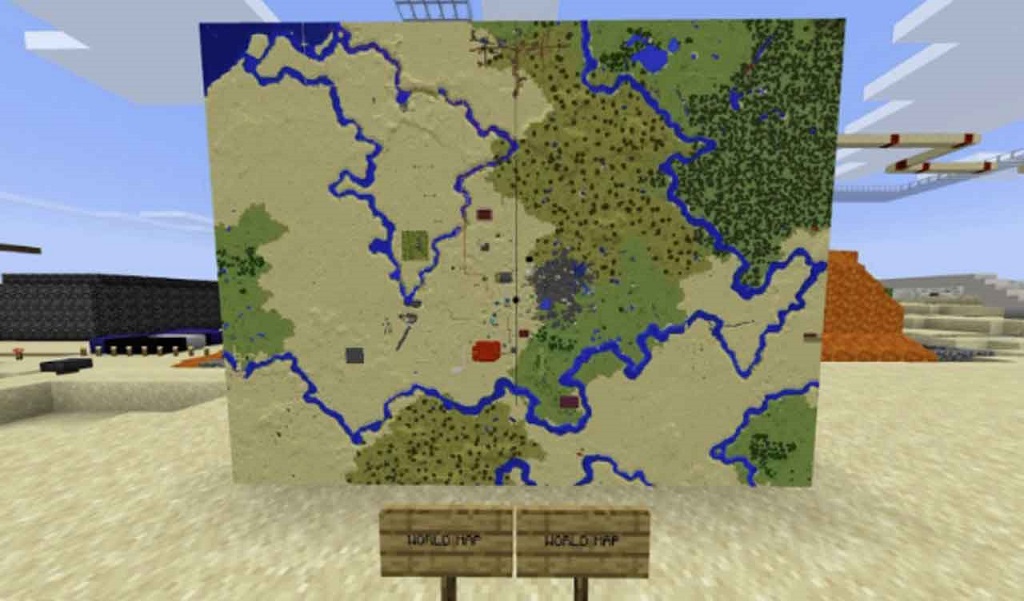
- Creating Map Walls: For a truly impressive display, combine multiple maps to create a large-scale map wall. Ensure the maps are aligned correctly to form a seamless image of your world.
Pros and Cons of Using Minecraft Maps
Pros:
- Improved Navigation: Maps make it significantly easier to navigate the vast Minecraft world, especially in unfamiliar biomes.
- Marking Important Locations: Easily mark points of interest like villages, mineshafts, and your own bases.
- Exploration Aid: Maps help you discover new areas and track your progress as you explore.
- Decorative Element: Framed maps can add a touch of personality and detail to your builds.
Cons:
- Limited Scope: Even fully zoomed-out maps cover a finite area, requiring multiple maps for large-scale exploration.
- Resource Intensive: Crafting maps requires specific resources, especially at higher zoom levels.
- Static View: Maps provide a snapshot of the world at the time of creation and don’t update dynamically with changes like player-built structures.
Reviews from the Minecraft Community
“Maps are essential for any serious adventurer in Minecraft. I always keep one on hand when exploring new territory.” – AdventurousSteve
“I love using maps to decorate my builds. A map wall in my base showcasing the surrounding area adds a really cool touch.” – CreativeBuilder
“I wish maps updated in real-time to show changes in the world. It would be amazing to see my builds appear on the map as I create them.” – WishfulThinker
Frequently Asked Questions (FAQ)
Q: Can I use maps in the Nether or the End?
A: Yes, you can use maps in both the Nether and the End. However, they function differently in these dimensions. In the Nether, maps display a distorted view of the terrain, while in the End, they only show a blank purple background.
Q: How do I remove a marker from a map?
A: Unfortunately, there is no direct way to remove a marker from a map once it’s been added. However, you can create a new map of the same area without the marker.
Q: Can I share maps with other players on a server?
A: Yes, you can share maps with other players by simply giving them a copy of the map. Cloned maps will show the same information as the original.
Q: What is the maximum zoom level for a map?
A: The maximum zoom level for a map is 1:4, achieved by surrounding the map with paper in the crafting grid four times.
Q: Can I use a map to teleport?
A: No, maps cannot be used for teleportation. They are purely for navigation and exploration.
Building with Buddies: How to Play Minecraft Online with Friends
Beyond the Basics: Utilizing Maps for Creative Projects
While maps are primarily used for navigation, their functionality extends far beyond simply finding your way. With a little creativity, maps can become integral components of intricate builds and redstone contraptions.
1. Dynamic Map Art:
By strategically placing and removing blocks within the area covered by a map, you can create dynamic artwork that evolves over time. Imagine a map displaying a growing forest, a flowing river, or even a pixelated animation. The possibilities are limited only by your imagination.
2. Hidden Door Mechanisms:
Maps can be integrated into redstone circuitry to create hidden doors or secret passages. By connecting a map to a redstone signal, you can trigger mechanisms based on player interactions with the map, such as right-clicking or placing it in an item frame.
3. Interactive Displays:
Use maps to create interactive displays showcasing information about your world, achievements, or even player statistics. By connecting maps to command blocks, you can update the map’s content dynamically, providing real-time information or interactive elements.
4. Mini-Game Creation:
Maps can serve as the foundation for unique mini-games within Minecraft. Create a treasure hunt using maps with marked locations, design a parkour course with a map outlining the route, or even develop a strategy game using maps to represent territories.
5. Personalized Decorations:
Framed maps offer a unique way to personalize your builds. Showcase a map of your favorite location, create a gallery of maps depicting different biomes, or even use maps to create custom wallpaper patterns.
Mastering the Art of Cartography
To truly become a master cartographer in Minecraft, consider these additional tips:
- Plan Your Mapping Strategy: Before embarking on a mapping expedition, consider the area you want to cover and the desired zoom level. This will help you determine the number of maps needed and ensure efficient resource utilization.
- Utilize Landmarks: Pay attention to prominent landmarks like mountains, rivers, and structures. These can serve as reference points for navigation and help you orient yourself on the map.
- Explore Systematically: Avoid wandering aimlessly. Instead, adopt a systematic approach to exploration, ensuring you cover the entire area captured by your map.
- Experiment with Different Perspectives: Don’t limit yourself to a top-down view. Try exploring at different altitudes and angles to capture unique perspectives on the landscape.
- Embrace Creativity: Don’t be afraid to experiment with different map types, zoom levels, and techniques. The more you explore the possibilities, the more you’ll discover about the art of cartography in Minecraft.
Conclusion
Minecraft maps are indispensable tools for navigation, exploration, and creative expression. By understanding their functionalities and mastering the techniques outlined in this guide, you can unlock new dimensions of gameplay and transform your Minecraft world. So, grab your compass, craft your maps, and embark on a cartographic adventure like no other. The world of Minecraft awaits your exploration!