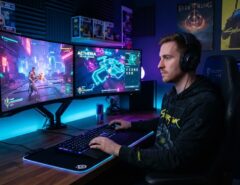

The best budget gaming mouse for Valorant is one with a reliable optical sensor, a weight under 80 grams, and a shape that matches your grip not the mouse with the highest DPI number on the box. You don’t need to spend $150 to compete at a high rank. Most of what separates a $250 esports mouse from a $30 one is polish, not raw performance.
That said, “budget” doesn’t mean “any cheap mouse will do.” Some sub-$30 mice have sensors that struggle with consistent tracking, mushy switches that misfire on double-taps, or shapes that cause wrist fatigue during long ranked sessions. This guide breaks down exactly which specs actually affect your aim in Valorant, which ones are marketing noise, and how to pick a mouse that fits your hand and playstyle without wasting money on features you’ll never use.
Whether you’re upgrading from a bundled office mouse or replacing a mouse you’ve outgrown, the goal here is simple: help you buy once, buy right, and get back to climbing ranked.
What Actually Matters in a Budget Gaming Mouse for Valorant
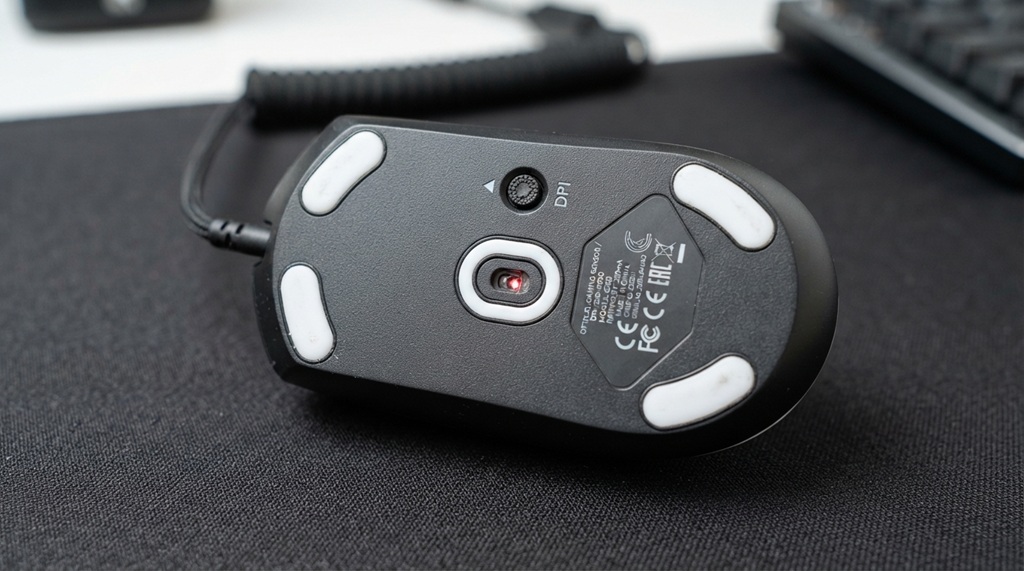
The specs that affect your in-game aim are sensor accuracy, weight, polling rate, and click latency everything else is secondary. Valorant rewards precise, repeatable flicks and micro-adjustments, so a mouse that tracks your hand movement consistently will help you more than one loaded with RGB zones or extra side buttons you’ll never press mid-round.
Sensor Quality Over Sensor Hype
A good budget mouse should have an optical sensor with no smoothing, acceleration, or angle snapping at the DPI range you actually play at (most Valorant players sit around 400–1600 DPI). You don’t need a 32,000 DPI sensor nobody plays Valorant above 1600 DPI in practice, so that number is mostly a marketing figure. What matters is that the sensor tracks accurately and consistently at low-to-mid DPI, since that’s the range competitive players actually use for controlled recoil and precise flicks.
Weight and Shape
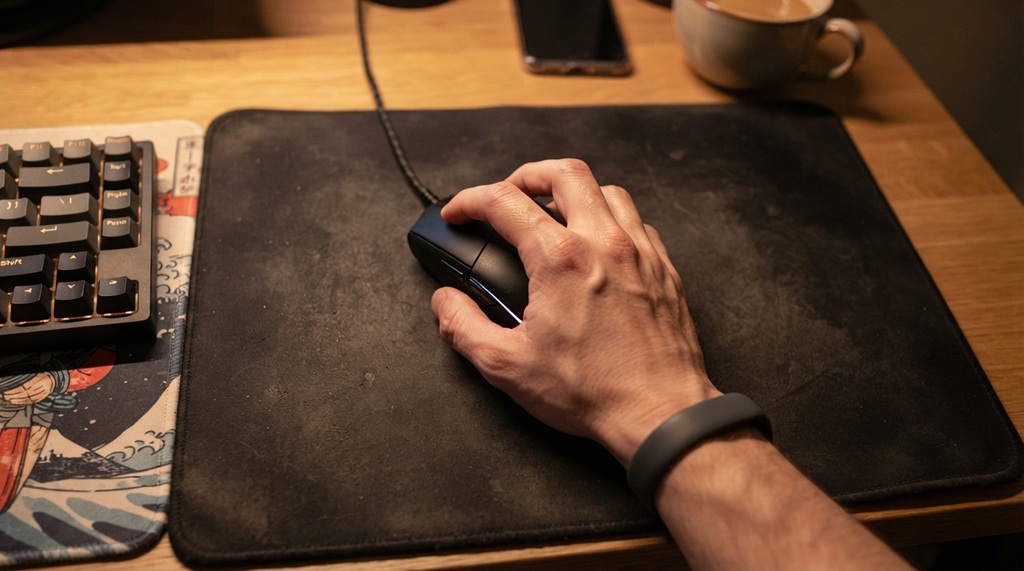
Lighter mice generally reduce arm fatigue during long sessions, but weight only helps if the shape still fits your hand comfortably. A 60-gram mouse that feels awkward in your grip won’t help your aim a slightly heavier mouse that sits naturally in your hand will outperform it. Try to identify your grip style first (palm, claw, or fingertip), since that determines whether an ergonomic shape (like a DeathAdder-style body) or a symmetrical, ambidextrous shape will suit you better.
Polling Rate and Click Latency
A polling rate of 1000Hz (1ms response time) is the realistic baseline to look for in a budget gaming mouse, and most mice in this category now hit that mark even at lower price points. Anything higher, like 4K or 8K Hz polling, is a “nice to have” rather than a Valorant necessity the human reaction time floor makes the difference largely unnoticeable outside of extremely high-level competitive settings.
Wired vs. Wireless: Which Is Better on a Budget?
For most budget shoppers, a wired mouse is still the safer choice, since modern wireless technology that matches wired latency tends to add cost that pushes a mouse out of true budget territory. Older concerns about wireless “lag” are largely outdated for higher-end wireless mice, but the affordable wireless options that stay under $40–50 are more likely to cut corners on the wireless chip than a wired mouse at the same price.
If wireless freedom matters to you for cable drag reasons or a cleaner desk setup look specifically for mice that advertise a dedicated 2.4GHz wireless dongle rather than Bluetooth-only connectivity, since Bluetooth introduces more latency and isn’t built for competitive gaming. Battery life is also worth checking, since budget wireless mice with weaker batteries can mean an untimely recharge mid-session.
Grip Style: Why It Matters More Than Brand Reputation
Your grip style determines which mouse shape will actually improve your aim, and ignoring it is the most common mistake budget buyers make. A mouse can have a great sensor and still feel terrible if the shape fights your hand every time you flick to a target.
Palm Grip
If your whole hand rests on the mouse with your fingers relaxed over the buttons, you’ll likely do better with a slightly larger, ergonomic mouse that offers a contoured resting surface for your palm and reduces strain over long sessions.
Claw Grip
If your fingertips are bent and only the base of your palm touches the mouse, look for a shape with a shorter, arched back this lets your fingers “claw” over the buttons for quick, precise clicks without your palm sliding around.
Fingertip Grip
If only your fingertips touch the mouse and your palm hovers above it, a lighter, smaller, and often symmetrical mouse will usually suit you best, since fingertip grip relies on fast wrist and finger movement rather than arm-driven flicks.
Critical Mistakes to Avoid When Buying a Budget Gaming Mouse
Most players fall into one of two traps: overspending on flashy marketing gimmicks like sky-high DPI or skimping on critical performance specs like sensor accuracy, cable flexibility, and ergonomics. In a precision-heavy shooter like Valorant, choosing the wrong compromises will directly degrade your crosshair placement and flick control far more than your wallet. Of course, pinpoint mouse control is only half the battle in competitive gaming; clear, low-latency directional audio is equally essential for tracking enemy footsteps through site entrances before they peek. To complement your target acquisition with crystal-clear spatial cues, choose between iems and headsets for FPS gaming to build a truly complete, budget-friendly competitive setup.
Chasing DPI numbers.
A mouse advertising 26,000 DPI isn’t inherently better for Valorant than one with 12,000 DPI you’ll never play anywhere close to either number, so this spec shouldn’t be a deciding factor.
Ignoring cable quality on wired mice.
A stiff, heavy cable can drag on your mousepad and disrupt otherwise clean flicks. Cheaper mice sometimes skip the flexible “paracord-style” cable found on pricier models check reviews for this specifically.
Skipping the feet (skates) quality.
PTFE mouse feet glide more smoothly than cheaper plastic alternatives, and some budget mice ship with feet that need replacing almost immediately for a consistent glide.
Buying based on RGB or branding alone.
Flashy marketing doesn’t correlate with sensor quality. Read independent reviews or watch teardown videos before trusting box claims.
Assuming heavier always means worse.
Some players with a stabilizing palm grip actually perform better with a mouse in the 80–95g range rather than an ultralight sub-60g mouse that feels twitchy under their hand.
Budget-Friendly Mice Worth Considering
While this guide focuses on what to look for rather than a single “best” pick (your hand size and grip should decide that), a few models consistently show up in budget recommendations from gaming hardware reviewers for their sensor reliability and shape versatility:
- Logitech G305 / G203 series — frequently recommended for consistent tracking and long-term durability at a low price point, with the G305 offering wireless and the G203 a wired option.
- SteelSeries Rival 3 — a common pick for its lightweight build and switch durability at a budget price.
- HyperX Pulsefire Haste 2 — often mentioned for covering core competitive features, including wireless connectivity, while staying under a modest price ceiling.
- Endgame Gear XM2we — regularly cited for its lightweight, symmetrical shape suited to claw and fingertip grips.
Treat any “best of” list, including this one, as a starting point rather than a final answer. Specs and prices shift often, so check current reviews and, if possible, try a mouse in person or confirm a store’s return policy before committing.
A Practical Way to Test-Drive a Budget Mouse Before Committing
Here’s an angle most buying guides skip: test your shortlist using Valorant’s practice range and the in-game crosshair placement drills before you fully commit to a purchase decision. If a retailer offers a reasonable return window, buy your top pick, spend a session in the shooting range specifically testing tracking (moving targets), flicking (stationary targets at random angles), and micro-adjustments (close-range strafing duels). A mouse that feels fine scrolling a web browser can still feel wrong the moment you’re chasing a strafing enemy in a real duel and that’s a distinction spec sheets can’t tell you. If it doesn’t feel right after a few sessions, return it and try the next option on your list rather than forcing yourself to adapt to hardware that’s working against you.
Frequently Asked Questions
Do I need a high-DPI mouse to play Valorant well?
No. Most competitive Valorant players use DPI settings between 400 and 1600, so a mouse advertising extremely high maximum DPI offers no real advantage. Focus on sensor accuracy at low-to-mid DPI instead of the maximum number on the box.
Is a wired or wireless mouse better for Valorant on a budget?
A wired mouse is usually the safer budget choice, since affordable wireless mice are more likely to cut corners on their wireless chip to hit a low price. If you want wireless, prioritize a dedicated 2.4GHz connection over Bluetooth.
How much should I spend on a budget gaming mouse for Valorant?
Most reliable budget options fall in the $25–$60 range, where you can still get a solid optical sensor, 1000Hz polling, and a durable shape. Going lower often means sacrificing sensor consistency or button durability.
Does mouse weight really affect my Valorant aim?
Weight affects fatigue and control more than raw aim accuracy. A lighter mouse can reduce arm strain over long sessions, but only if the shape still fits your grip comfortably an uncomfortable ultralight mouse won’t outperform a slightly heavier one that fits your hand well.
Can a budget mouse actually compete with expensive esports mice in Valorant?
Yes, for the vast majority of players. Once a mouse has a reliable sensor, low click latency, and a comfortable shape, the performance gap between a budget mouse and a premium one comes down to refinement and comfort features rather than something that will fundamentally change your rank.
Conclusion
Choosing the best budget gaming mouse for Valorant comes down to prioritizing sensor accuracy, a comfortable shape for your grip style, and consistent click latency over flashy specs like maximum DPI or RGB lighting. Identify your grip style, decide whether wired or wireless fits your setup, and test your shortlist in the practice range before locking in a purchase. Get those fundamentals right, and a $30–$60 mouse can absolutely hold its own against equipment three times its price.