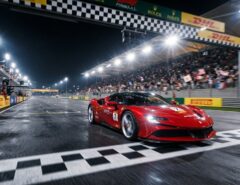
Night racing in virtual reality presents unique challenges. The darkness reduces visibility and makes it harder to spot corners and obstacles. However, with the right adjustments and techniques, you can dramatically improve your performance during nighttime races. This guide will help you master visibility enhancement for VR racing games.
Understanding Night Driving Challenges in VR
Virtual reality racing simulators aim to replicate real-world conditions. Therefore, night driving in VR comes with similar difficulties as actual nighttime racing. Your eyes need to adjust to darker environments, and screen brightness alone won’t solve all problems.
The main issue is depth perception. When lighting conditions are poor, judging distances becomes much harder. Additionally, reflections from dashboard lights and oncoming traffic can create distracting glare. These factors combine to make night racing particularly demanding.
Many players struggle with motion sickness during night races. The reduced visual references can confuse your brain’s balance system. Furthermore, eye strain increases when you’re trying to focus in low-light conditions for extended periods.
Optimizing Your VR Headset Settings
Your headset configuration plays a crucial role in visibility. Start by adjusting the brightness settings on your VR device. Most headsets allow you to increase brightness beyond standard levels, which helps during night races.
Next, check your IPD settings. IPD stands for interpupillary distance, which is the space between your eyes. Proper IPD adjustment ensures sharp, clear visuals. This becomes especially important when you’re trying to see details in darker environments.
Clean your lenses regularly. Smudges and dust scatter light and reduce clarity. Additionally, they create halos around bright objects like headlights and streetlights. A microfiber cloth should be part of your regular racing setup routine.
Adjusting In-Game Graphics Settings
Most racing simulators offer extensive graphics customization. Therefore, you should take advantage of these options to improve night visibility. Start by increasing the gamma or brightness slider in the game’s video settings.
Contrast settings also matter significantly. Higher contrast helps distinguish between different elements on the track. However, too much contrast can wash out details, so find a balanced setting that works for your eyes.
Consider adjusting HDR settings if your headset supports them. High dynamic range can make nighttime scenes more realistic and easier to navigate. Additionally, some games offer specific night vision or headlight intensity settings worth exploring.
Anti-aliasing affects how smooth edges appear in the game. While it improves visual quality, it can sometimes blur important details at night. Experiment with different anti-aliasing levels to find what provides the clearest view.
Mastering Headlight and Dashboard Management
Your vehicle’s headlights are your primary visibility tool during night races. Learn how to use high beams effectively on straightaways and switch to low beams before corners. This prevents blinding yourself with reflections.
Dashboard brightness can be a double-edged sword. While you need to see your instruments, overly bright dashboards create glare that reduces your ability to see the track ahead. Most simulators let you adjust dashboard illumination separately from other settings.
Some advanced racing games offer customizable HUD elements. Moving certain displays to less obtrusive positions can reduce visual clutter. Furthermore, dimming or hiding non-essential information during night races helps maintain focus on the track.
Using Track References and Markers
Professional racers rely on reference points rather than just seeing the road. This technique becomes even more valuable at night. Look for reflective markers, trackside objects, and brake point indicators.
Many tracks have reflective posts or barriers along the edges. These markers help you judge corner entry points even when the track surface is barely visible. Additionally, learning the track layout in daylight helps your brain fill in details at night.
Brake lights from AI opponents can serve as helpful references. However, don’t rely on them too heavily, as they might brake earlier or later than optimal. Instead, use them as supplementary information while developing your own reference points.
According to racing experts at These us, real-world racing drivers use similar techniques for night racing, focusing on known reference points rather than trying to see everything.

Adjusting Your Racing Line
Night conditions often require slight modifications to your racing line. Taking slightly wider lines through corners can give you better visibility of what’s ahead. This approach sacrifices minimal speed while significantly improving safety.
Trail braking becomes more important at night. This technique involves continuing to brake while turning into corners. It helps you maintain better control when visibility is limited and gives you more time to react to unexpected situations.
Smooth inputs are crucial during night racing. Sudden steering or throttle changes are harder to execute precisely when you can’t see as well. Therefore, focus on gradual, controlled movements throughout each lap.
Environmental and Physical Preparation
Your physical environment affects your VR racing experience. Ensure your play area has minimal ambient light. Excess light can leak into the headset and reduce contrast, making night scenes even harder to see.
However, complete darkness isn’t ideal either. Some background lighting prevents eye strain when you take breaks. Additionally, it helps your eyes adjust more comfortably when transitioning between VR and reality.
Take regular breaks during night racing sessions. Your eyes work harder in low-light conditions, leading to faster fatigue. Every 20-30 minutes, remove your headset and rest your eyes for a few minutes.
Stay hydrated and maintain good posture. These factors might seem unrelated to visibility, but they affect your concentration and reaction times. Furthermore, physical comfort helps you maintain focus during challenging night races.
Advanced Techniques for Competitive Racing
Competitive players use telemetry data to improve their night racing performance. Many simulators provide detailed information about your racing lines, brake points, and throttle application. Analyzing this data helps you refine techniques even when visibility is poor.
Practice makes perfect, especially for night racing. Spend dedicated time running night sessions to build familiarity with how different tracks look in darkness. Your brain develops pattern recognition that compensates for reduced visual information.
Some professional esports racers adjust their monitor settings specifically for night races. If you stream your VR view to a monitor, having proper monitor settings can help you review your performance. This secondary visual reference can reveal mistakes you might have missed in the headset.
The International DevTeam.Space notes that VR racing simulators continue to improve their lighting engines, making night racing more realistic and manageable for players of all skill levels.
Conclusion
Improving night driving visibility in VR racing games requires a combination of technical adjustments and skill development. Start by optimizing your headset and in-game graphics settings for better brightness and clarity. Then, master the use of headlights, dashboard management, and track reference points to navigate effectively in darkness.
Additionally, remember that physical preparation and environmental factors play significant roles in your performance. Regular practice builds the experience needed to race confidently at night. By implementing these tips systematically, you’ll transform night racing from a frustrating challenge into an enjoyable aspect of your VR racing experience.
Frequently Asked Questions
Why do I get more motion sickness during night races in VR?
Reduced visual references in dark environments confuse your brain’s balance system. Your eyes have fewer fixed points to track, which conflicts with the motion your body feels. Increasing brightness settings and taking frequent breaks can help minimize this effect.
Should I increase my field of view for better night visibility?
Not necessarily. While a wider field of view shows more of your surroundings, it can also reduce the size of important details and decrease performance. Instead, focus on optimizing brightness, contrast, and learning proper reference points on the track.
Can blue light filters help with VR night racing?
Blue light filters typically reduce overall brightness and can make dark scenes even harder to see. They’re better suited for reducing eye strain during daytime racing or extended gaming sessions rather than improving night visibility.
How do I prevent headlight glare from affecting my vision?
Adjust your dashboard brightness to lower levels and use proper headlight management by switching between high and low beams. Additionally, some games allow you to adjust headlight intensity or angle, which can reduce reflections inside the cockpit.
Is it better to race at night with all graphics settings on maximum?
Not always. Maximum settings can sometimes introduce performance issues that cause stuttering or frame drops, which are especially problematic at night. Find a balance between visual quality and smooth performance, prioritizing consistent frame rates for the best racing experience.
Related Topics:
The Thrill of Speed: Five Popular Racing Games on Android