For competitive FPS gaming, you need one of two things: a gaming headset for comfort and built-in mic convenience, or in-ear monitors (IEMs) paired with a separate mic for sharper positional audio. Neither one is a universal “best” choice it depends on how long you play, how competitive you are, and whether comfort or precision matters more to you.
Most players default to a gaming headset because it’s the obvious, all-in-one option. But a growing number of competitive FPS players especially in Valorant, CS2, and Apex Legends have switched to IEMs because of how much clearer footsteps and gunshots sound. This article breaks down exactly what each gadget does well, what it doesn’t, and how to decide which one fits your setup.
If you’re shopping for your first serious audio setup for gaming, or trying to figure out why pro players increasingly use earbuds instead of headsets on stream, this guide covers everything you need to make that call.
What’s the Real Difference Between IEMs and Gaming Headsets?
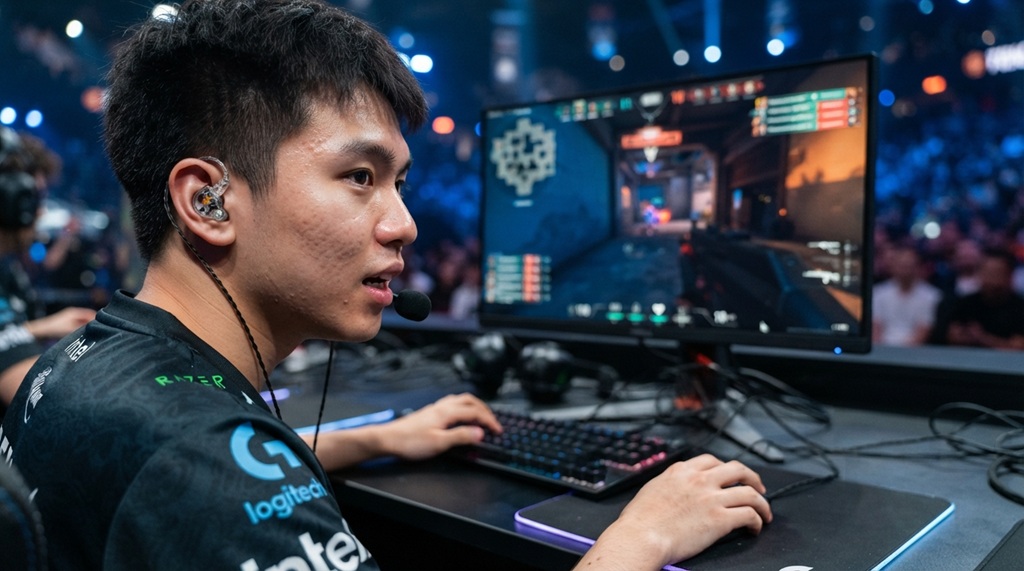
The core difference is how the sound reaches your ear: headsets use larger drivers positioned around your ear, while IEMs sit directly inside your ear canal for a tighter, more direct sound path. That physical difference changes almost everything about the listening experience soundstage, isolation, comfort over time, and even how footsteps are perceived.
Gaming Headsets
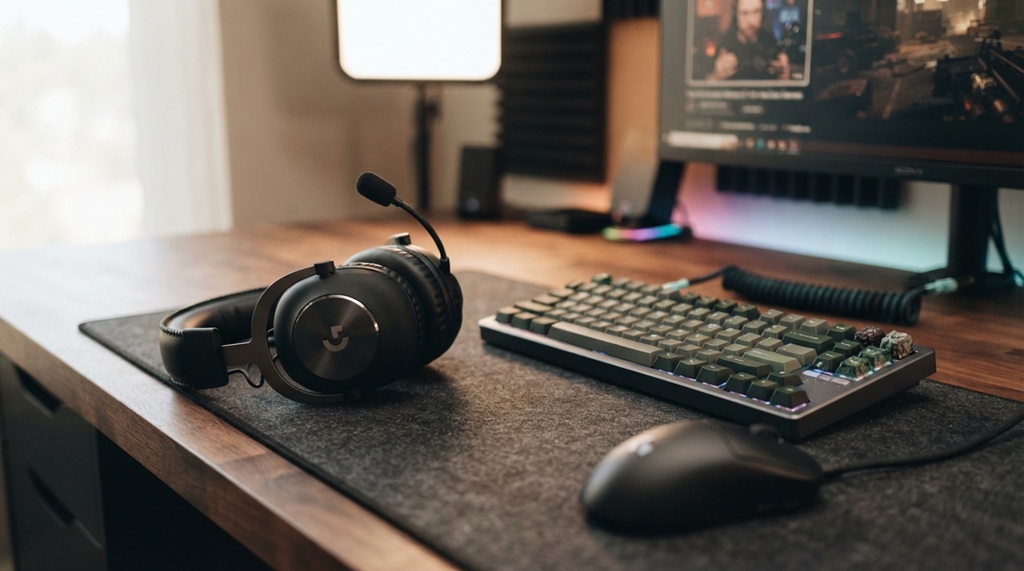
Headsets typically use 40mm-50mm drivers housed in over-ear or on-ear cups. This larger driver size tends to produce a wider “soundstage,” meaning sound feels like it’s coming from a broader space around you. Many gaming headsets also include a boom mic, USB or 3.5mm connection, and sometimes virtual surround sound features built into companion software.
In-Ear Monitors (IEMs)
IEMs use smaller drivers (dynamic, balanced armature, or hybrid setups) placed directly in the ear canal. Because they sit closer to the eardrum, IEMs often deliver more precise, detailed audio at lower volumes, which many competitive players say helps them pinpoint exact footstep direction and distance more accurately.
Why Precise Audio Matters in FPS Games
In fast-paced shooters like CS2, Valorant, and Rainbow Six Siege, sound is vital for tactical survival. Hearing an opponent’s footstep or reload click gives you a fast advantage before you see them. Gamers call this “soundwhoring”—using sound cues to pinpoint enemy locations. Clear audio, good noise isolation, and accurate directional cues make this possible. While switching to IEMs can sharpen your awareness on the battlefield, upgrading your gaming setup does not have to cost a fortune. If you want high-value gear upgrades, improve FPS aim with gadgets under $50.
IEMs for FPS Gaming: Pros and Cons
IEMs tend to excel at audio precision and isolation but require a separate microphone setup, which is their biggest practical drawback for gaming.
Advantages of IEMs
- Sharper directional cues. Because the driver sits closer to the eardrum, subtle differences in footstep timing and distance are often easier to detect.
- Better passive isolation. Silicone or foam tips create a physical seal that blocks outside noise without needing active noise cancellation.
- Comfortable for long sessions. Many players find IEMs less fatiguing than clamping headsets during 4+ hour sessions, since there’s no pressure on the head or ears.
- Portable. IEMs are small enough to carry in a pocket case, useful for LAN events or travel.
Disadvantages of IEMs
- No built-in mic. You’ll need a separate microphone (desktop, clip-on, or boom mic attachment) to communicate with teammates.
- Learning curve for fit. Getting the right ear tip size takes some trial and error, and a poor seal ruins the sound quality.
- Cable management. Most IEMs are wired, which means routing a cable that some players find less convenient than a headset’s single connection.
Gaming Headsets: Pros and Cons
Headsets win on convenience and all-in-one functionality, since the mic, drivers, and comfort padding are already integrated into a single device.
Advantages of Headsets
- All-in-one setup. Mic and audio are built into one device no extra purchases needed.
- Wider soundstage. Larger drivers can make environmental sound feel more spacious, which some players prefer for immersion in single-player or casual games.
- Easier for beginners. Plug in and play, with no ear-tip fitting or separate mic setup required.
- Wireless options are mature. Many gaming headsets now offer reliable low-latency wireless connections, something still uncommon in gaming-focused IEMs.
Disadvantages of Headsets
- Ear and head fatigue. Clamping force and ear cup heat can become uncomfortable during long sessions, especially for players who wear glasses.
- Less precise imaging in some models. Budget and mid-range headsets often prioritize bass-heavy “gaming” tuning over the balanced frequency response that helps with footstep detection.
- Bulkier for travel. Not ideal for carrying to LAN events or tournaments compared to a small IEM case.
What Competitive and Pro FPS Players Actually Use
There’s no single universal choice among pro players it varies by game, personal preference, and even sponsorship deals, but IEMs have become notably more common in Valorant and CS2 pro scenes in recent years. Broadcast footage and player interviews from major tournaments have shown a visible shift toward in-ear setups, especially among players who prioritize precise audio cues over comfort features like virtual surround sound.
That said, plenty of top-tier players still use headsets, particularly ones with detachable or low-profile designs that reduce clamping fatigue. The takeaway isn’t “IEMs are objectively better” it’s that both are viable at the highest level, and the right choice depends on the individual player’s ear anatomy, game genre, and how long their sessions typically run.
An Angle Most Guides Skip: Test Your Fit Before You Buy Blind
Most articles compare specs, but the single biggest factor in whether IEMs work for you is ear anatomy and that’s something no review can tell you. Ear canal shape and size vary significantly from person to person, which is why the exact same IEM model can feel perfectly comfortable for one player and painfully shallow or loose for another.
Before spending money on a premium IEM set, try a cheap pair (or borrow a friend’s) with a few different tip sizes and materials foam versus silicone, single-flange versus multi-flange for a full gaming session. If you can’t get a consistent seal after 20-30 minutes of adjusting, or your ears feel irritated afterward, IEMs may not be the right category for you regardless of how good the reviews are. This single test saves more wasted money than any spec comparison, because it rules out the one variable that specs can’t predict.
How to Decide: A Simple Framework
Choosing between IEMs and a headset comes down to three questions: how long you play per session, whether you already have a separate mic, and how much you value portability versus plug-and-play convenience.
- If you play in short bursts (under 2 hours) and want zero setup hassle → a gaming headset is the more practical choice.
- If you play in long sessions and already own or plan to buy a separate microphone → IEMs are worth the switch, especially for competitive shooters.
- If you travel to LAN events or tournaments often → IEMs pack smaller and reduce sweat/discomfort under tournament lighting and stress.
- If you’re a beginner just building your first setup → start with a mid-range headset, since it removes the mic and fit variables while you’re still learning the game.
Neither option is a downgrade they’re built for different priorities, and many serious players end up owning both, using headsets for casual sessions and IEMs for ranked or tournament play.
Frequently Asked Questions
Do I need a separate microphone if I switch to IEMs?
Yes, IEMs don’t include a microphone, so you’ll need a desktop mic, a clip-on lapel mic, or a boom mic attachment to communicate with teammates. This is the main added cost and setup step when switching from a headset to IEMs.
Are IEMs actually better for hearing footsteps in games like Valorant or CS2?
Many competitive players report that IEMs help them detect footstep direction and distance more precisely, largely due to the closer driver placement and better passive isolation. However, a well-tuned headset with accurate frequency response can also perform very well the difference often comes down to the specific model rather than the category alone.
Is wireless a good option for competitive FPS gaming?
Wireless gaming headsets have improved significantly and many now offer low enough latency for competitive play, but wired connections remain the safest choice for zero-latency, zero-dropout audio in high-stakes matches. Most competitive IEM setups are also wired for the same reason.
How much should I expect to spend on a good IEM setup for gaming?
A usable entry-level IEM plus a basic clip-on mic can cost less than a mid-range gaming headset, though prices scale up significantly for higher-end drivers and premium cables. Budget for the IEMs and the microphone separately, since they’re sold independently.
Can I use gaming headset software features, like virtual surround sound, with IEMs?
Some virtual surround or spatial audio software works with any output device, including IEMs, since it’s processed before the sound reaches your ears. Results vary by software and game, so it’s worth testing whether virtual surround actually improves your footstep detection or just adds unnecessary processing.
Conclusion
There’s no single “correct” gadget for FPS gaming headsets offer convenience and an all-in-one setup, while IEMs offer sharper positional audio and better comfort for long sessions, at the cost of needing a separate mic. The right choice depends on your session length, your tolerance for extra setup, and how much competitive audio precision matters to your specific game. Whichever you choose, prioritize a proper fit and accurate sound reproduction over marketing buzzwords like “gaming-tuned” that’s what actually determines whether you hear the enemy first.