Minecraft, with its boundless creative potential, has captivated millions worldwide. But even the most dedicated players sometimes crave a little something extra to enhance their experience. Enter Impact, a powerful utility mod that injects a dose of adrenaline and efficiency into your gameplay. From simplifying mundane tasks to unlocking powerful combat techniques, Impact offers a range of features designed to elevate your Minecraft adventures. This comprehensive guide will explore the ins and outs of Impact, providing a detailed overview of its features, installation process, pros and cons, user reviews, and answers to frequently asked questions.
What is Impact Client?
Impact is a free, open-source utility mod for Minecraft that primarily focuses on improving the player’s combat capabilities and overall efficiency. Unlike mods that introduce new content or drastically alter gameplay, Impact acts as a supportive tool, refining existing mechanics and providing helpful features without straying too far from the vanilla experience. This makes it a popular choice for players who enjoy the core essence of Minecraft but desire a little extra edge, particularly in PvP scenarios. Troubleshooting Minecraft’s “Unable to Connect to World” Error: A guide to resolving this issue for players seeking the core essence of Minecraft with an extra edge in PvP.
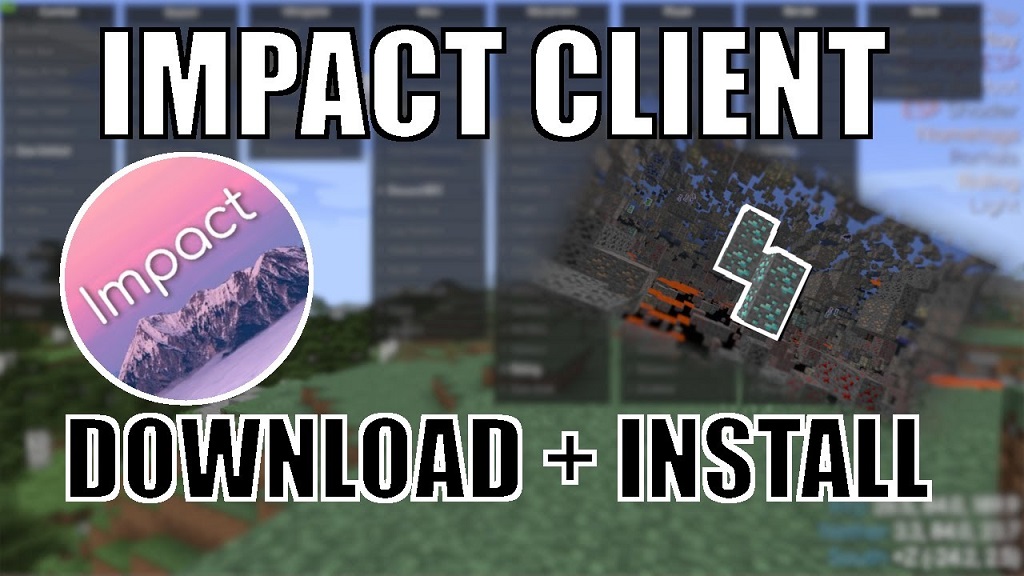
Key Features of Impact Client
Impact is packed with a variety of features designed to streamline your gameplay and give you a competitive advantage. Here are some of the most notable:
- Combat Enhancements: Impact offers a suite of tools to bolster your combat prowess. These include:
- AutoClicker: Automate your clicks for faster attacks and resource gathering.
- KillAura: Automatically target and attack nearby enemies.
- Criticals: Ensure every hit lands as a critical strike for maximum damage.
- Velocity: Control how much knockback you receive from attacks.
- Reach: Extend your attack range to land blows from a safer distance.
- Movement Enhancements: Traverse the Minecraft world with greater speed and agility using features like:
- Sprint: Automatically sprint without holding down the key.
- Step: Ascend blocks higher than usual with ease.
- Flight: Soar through the skies, bypassing obstacles and traversing long distances quickly (available in certain game modes).
- Speed: Increase your movement speed for quicker exploration and escapes.
- Player Assistance: Impact provides a range of helpful features to simplify common tasks and improve your overall experience:
- AutoArmor: Automatically equip the best armor in your inventory.
- AutoTool: Instantly switch to the most effective tool for the task at hand.
- ChestStealer: Quickly loot chests with a single click.
- X-Ray: See through blocks to locate valuable ores and hidden structures.
- Fullbright: Illuminate the world, eliminating the need for torches in dark areas.
- Visual Enhancements: Customize the game’s appearance to your liking with features such as:
- HUD Customization: Modify the heads-up display to show only the information you need.
- Custom Crosshair: Choose from a variety of crosshair styles or create your own.
- Shaders: Enhance the game’s graphics with realistic lighting and shadows (requires compatible shaders).
How to Install Impact Client
Installing Impact is a relatively straightforward process. Here’s a step-by-step guide:
- Download Impact: Visit the official Impact website and download the latest version of the client. Ensure you download the version compatible with your Minecraft version.
- Install Java: Impact requires Java to run. If you don’t have it installed already, download and install the latest version from the official Java website.
- Run the Installer: Locate the downloaded Impact installer file and run it. Follow the on-screen prompts to complete the installation.
- Launch Impact: Once installed, launch the Impact client. It will automatically detect your Minecraft installation and set up the necessary files.
- Log in and Play: Log in with your Minecraft account and select the Impact profile. You can now launch Minecraft and enjoy the benefits of the mod.
Important Note: Always download Impact from the official website to avoid potentially harmful malware or outdated versions.
Impact Client: Pros and Cons
Like any mod, Impact comes with its own set of advantages and disadvantages. It’s essential to weigh these carefully to determine if it’s the right fit for your playstyle.
Pros:
- Enhanced Combat: Impact provides a significant advantage in PvP combat, allowing you to react faster, land more hits, and minimize damage.
- Improved Efficiency: Features like AutoTool, AutoArmor, and ChestStealer automate tedious tasks, freeing you to focus on more engaging aspects of the game.
- Customization: Impact offers a high degree of customization, allowing you to tailor the mod to your specific preferences.
- Free and Open-Source: Impact is completely free to use and its open-source nature allows for community contributions and modifications.
- Regular Updates: The developers actively maintain and update Impact, ensuring compatibility with the latest Minecraft versions and adding new features.
Cons:
- Unfair Advantage: Using certain features like KillAura and X-Ray in multiplayer servers can be considered cheating and may result in bans. Always check server rules before using Impact online.
- Performance Impact: Impact can consume more system resources than vanilla Minecraft, potentially leading to lower frame rates or lag, especially on lower-end PCs.
- Learning Curve: While many features are straightforward, mastering Impact’s full potential may take time and experimentation.
- Risk of Bugs: As with any mod, Impact may contain bugs or glitches that can affect your gameplay experience.
- Ethical Considerations: Using features that automate gameplay or provide unfair advantages can detract from the challenge and sense of accomplishment in Minecraft.
Unleash Your Inner Architect: The Best Minecraft Seeds for Windows in 2024
Impact Client Reviews: What Users Are Saying
Impact has garnered a mixed reception from the Minecraft community. While many players praise its powerful features and customization options, others express concerns about its potential for unfair play and ethical implications.
Positive Reviews:
- “Impact has completely revolutionized my PvP experience. The combat enhancements are incredible and I love how customizable everything is.” – Reddit user u/xX_MinerPro_Xx
- “I used to spend so much time switching between tools and armor. AutoTool and AutoArmor are lifesavers!” – Minecraft Forum user DiamondSteve
- “The developers are constantly updating Impact and adding new features. It’s great to see a mod that’s so well-maintained.” – YouTube commenter GamingWithGreg
Negative Reviews:
- “I got banned from my favorite server for using KillAura. Be careful with this mod, guys.” – Discord user MinerMike#1234
- “Impact makes the game too easy. I miss the challenge of vanilla Minecraft.” – Twitter user @MinecraftFanatic
- “I’ve experienced a few bugs and glitches with Impact. Hopefully, they get fixed soon.” – Impact Forum user BlockBuilderBob
Overall, user reviews highlight the powerful capabilities of Impact but also emphasize the importance of responsible use and awareness of potential drawbacks.
Frequently Asked Questions about Impact Client
Is Impact Client safe to use?
When downloaded from the official website, Impact itself is safe. However, using certain features on multiplayer servers can result in bans. Always check server rules before using Impact online.
Can I use Impact with other mods?
Impact is generally compatible with other mods, but conflicts can sometimes occur. It’s recommended to test compatibility with your other mods before using them together.
Does Impact work on all Minecraft versions?
Impact supports a wide range of Minecraft versions, but it’s essential to download the correct version of the client for your game version.
How do I update Impact Client?
The Impact client usually checks for updates automatically. If an update is available, you’ll be prompted to download and install it.
Can I uninstall Impact Client?
Yes, you can uninstall Impact by deleting the Impact folder from your Minecraft directory.
Is Impact Client legal?
Yes, Impact is legal to download and use. However, using certain features on servers that prohibit them can result in consequences.
Where can I find help and support for Impact Client?
The Impact website offers documentation, FAQs, and a forum where you can seek help from the community and developers.
Impact Client: A Powerful Tool for Minecraft Enthusiasts
Impact Client offers a compelling suite of features that can significantly enhance your Minecraft experience. Whether you’re seeking a competitive edge in PvP, looking to streamline mundane tasks, or simply craving more customization options, Impact has something to offer. However, it’s crucial to use the mod responsibly and be mindful of its potential drawbacks. By understanding its features, weighing its pros and cons, and adhering to server rules, you can harness the power of Impact to elevate your Minecraft adventures while maintaining a fair and enjoyable experience for everyone.