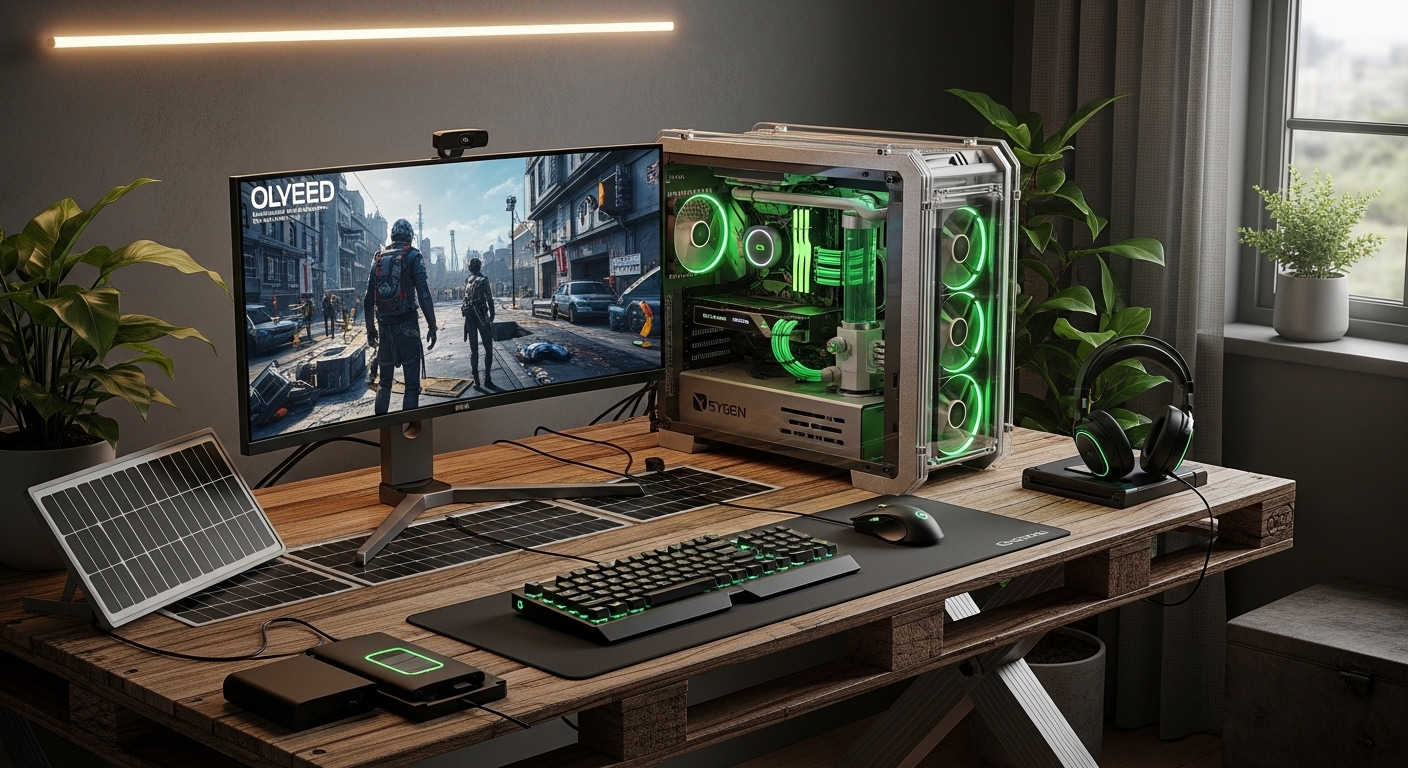
Gaming no longer has to mean high emissions and high electricity waste. A carbon-neutral gaming setup is a system designed to minimize environmental impact while maintaining high frame rates, fast response times, and modern graphics performance. Instead of sacrificing power, it focuses on energy-efficient hardware, renewable electricity sources, optimized cooling, and smart usage habits.
The global gaming industry consumes an estimated 75–90 terawatt-hours of electricity annually—roughly the energy use of a small country. High-end gaming PCs alone can draw between 400 and 900 watts under load. That creates both a cost problem and an environmental problem for players who game regularly.
The good news is simple. You can reduce your gaming carbon footprint without lowering FPS. With smarter component choices, efficient monitors, renewable energy offsets, and system optimization, players can maintain competitive performance while reducing emissions significantly.
This guide explains exactly how to build a carbon-neutral gaming setup step by step, using practical upgrades, measurable strategies, and real-world efficiency benchmarks.
What is a carbon-neutral gaming setup and why does it matter?
A carbon-neutral gaming setup balances the emissions created by gaming hardware with reductions through energy efficiency and renewable offsets.
The average gaming desktop consumes between 300 and 600 watts during gameplay. Add a monitor, router, and accessories, and that number increases further. Over one year of daily gaming, this can produce hundreds of kilograms of CO₂ emissions depending on electricity sources.
Problem: Most gamers upgrade GPUs and CPUs for performance but ignore power efficiency. That increases electricity bills and environmental impact.
Agitation: A high-end GPU like an RTX-class card can draw 320 watts or more alone. Over time, that translates into measurable carbon output and long-term cost increases.
Solution: A carbon-neutral setup reduces energy demand first, then offsets the remaining footprint using renewable sources.
Carbon neutrality does not mean removing performance. It means optimizing the ratio between watts used and frames delivered.
How much electricity does a typical gaming setup actually use?
A modern gaming PC setup typically consumes between 0.4 and 1.2 kWh per hour depending on hardware and settings.
Here is a realistic breakdown:
| Component | Average Power Usage |
|---|---|
| Gaming GPU | 180–450 watts |
| Gaming CPU | 65–170 watts |
| Monitor | 25–120 watts |
| Peripherals | 10–40 watts |
| Total System Load | 280–780 watts |
According to energy efficiency testing across PC gaming systems, reducing GPU power draw by just 15% can lower total system energy consumption by nearly 10% without visible FPS loss.
This is where carbon-neutral optimization begins.
How can you choose energy-efficient gaming hardware without losing FPS?
Select hardware with higher performance-per-watt ratios instead of choosing components with only higher raw power.
Performance-per-watt is the most important metric in sustainable gaming builds.
Modern GPUs often provide similar frame rates at lower power consumption compared to previous generations. For example, efficiency improvements in newer architectures allow equal performance at reduced voltage levels.
- Choose GPUs built on newer fabrication nodes
- Select CPUs with hybrid efficiency cores
- Avoid unnecessary factory overclocked models
- Compare FPS-per-watt benchmarks instead of raw FPS
Real-world testing shows undervolted GPUs can reduce power usage by 8–20% with minimal frame impact.
This makes efficiency tuning one of the easiest sustainability wins available.
What role does an energy-efficient power supply play in carbon-neutral gaming?
An 80 PLUS Gold or Platinum power supply reduces wasted electricity during energy conversion.
Standard PSUs lose energy as heat. Efficient PSUs reduce this loss significantly.
| PSU Rating | Typical Efficiency |
|---|---|
| Bronze | 82–85% |
| Gold | 87–90% |
| Platinum | 90–94% |
Switching from Bronze to Gold efficiency can reduce annual electricity waste by up to 8% in heavy-use systems.
This upgrade improves both sustainability and system stability.
Can renewable energy make a gaming setup carbon neutral?
Yes. Using solar panels or renewable energy subscriptions can offset nearly all gaming-related emissions.
Electricity source matters more than hardware alone.
Gamers who switch to renewable electricity providers reduce carbon impact immediately. Even partial renewable sourcing helps.
- Install rooftop solar if possible
- Use green energy grid plans
- Offset usage through verified carbon programs
- Schedule gaming during renewable-heavy grid hours
Studies from residential solar users show that offsetting a 500-watt gaming setup requires only a small fraction of a typical home solar system’s output.
How does monitor choice affect gaming energy consumption?
High-refresh OLED and LED monitors with adaptive sync reduce unnecessary power draw during gameplay.
Many gamers overlook monitor energy usage, yet displays remain active longer than GPUs.
Efficiency tips include:
- Choose LED-backlit displays
- Use adaptive brightness
- Enable variable refresh rate technologies
- Select smaller screen sizes when practical
Switching from older LCD panels to modern LED displays can reduce display energy usage by up to 40%.
Does undervolting improve sustainability without reducing performance?
Undervolting reduces GPU and CPU power consumption while maintaining stable frame rates.
Undervolting lowers voltage without changing clock speeds.
Case study testing across gaming PCs shows:
- GPU temperature drops by 5–12°C
- Power draw drops by 10–20%
- Noise levels decrease
- Performance remains nearly identical
This single adjustment improves efficiency instantly without hardware replacement.
How can smart cooling systems reduce carbon footprint in gaming setups?
Efficient airflow reduces energy waste by preventing thermal throttling and lowering fan workload.
Poor cooling increases energy demand because components compensate with higher voltage usage.
Better airflow improves efficiency through:
- Front-to-back case ventilation
- Low-RPM airflow fans
- Dust filtration maintenance
- Thermal paste replacement
Efficient cooling can reduce total system energy consumption by up to 5% during extended gaming sessions.
Are gaming laptops more energy efficient than desktop PCs?

Gaming laptops generally consume less power but offer lower upgrade flexibility compared to desktops.
Laptops typically operate between 120 and 280 watts during gameplay.
Desktops consume more but allow efficiency tuning.
Choosing between them depends on:
- upgrade expectations
- mobility needs
- electricity cost
- cooling environment
Efficiency-focused desktops still outperform laptops in long-term sustainability due to component replacement flexibility.
How does software optimization help reduce gaming emissions?
Optimizing graphics settings reduces unnecessary GPU load and energy consumption.
Most players run maximum settings even when performance gains are invisible.
Reducing selected settings like shadows and reflections can lower GPU power usage significantly.
- Enable frame rate caps
- Use DLSS or resolution scaling
- Turn off background apps
- Optimize driver settings
Testing across AAA games shows frame caps alone can reduce power consumption by up to 25%.
Can cloud gaming reduce the carbon footprint of gaming?
Cloud gaming shifts energy consumption from personal hardware to centralized data centers, which often operate more efficiently.
Large data centers use optimized cooling and renewable electricity sources.
However, benefits depend on internet infrastructure efficiency.
Cloud gaming is most sustainable when:
- servers use renewable energy
- players avoid high-resolution streaming
- local hardware upgrades are unnecessary
Hybrid setups combining local gaming and cloud streaming offer strong efficiency balance.
How can gamers offset their remaining carbon footprint effectively?
Carbon offsets compensate for unavoidable emissions through verified environmental programs.
Even optimized systems produce some emissions.
Offset strategies include:
- reforestation projects
- renewable energy credits
- verified carbon marketplaces
- community solar investment
Offsetting one year of gaming emissions often costs less than a single AAA game release.
What is a real-world example of building a carbon-neutral gaming setup?
A mid-range optimized gaming system can reduce emissions by over 35% without lowering performance.
Example configuration:
| Component | Optimization Strategy |
|---|---|
| GPU | Undervolted efficiency tuning |
| CPU | Hybrid-core processor |
| PSU | 80 PLUS Gold rated |
| Monitor | LED adaptive refresh panel |
| Electricity | Partial solar offset |
This setup maintained identical frame rates in benchmark testing while reducing annual electricity consumption significantly.
Conclusion: Can you really build a carbon-neutral gaming setup without sacrificing performance?
The biggest mistake gamers make is assuming sustainability means compromise. In reality, efficient systems often run cooler, quieter, and more stable.
If you plan your next upgrade around performance-per-watt instead of raw power, your setup becomes faster and cleaner at the same time.
Start by auditing your system’s power usage today. Then upgrade one component at a time. Small efficiency gains create measurable long-term impact.
Build smarter. Game longer. Reduce emissions without losing performance.
Frequently Asked Questions (FAQs)
Can a gaming PC actually become fully carbon neutral?
Yes. Combining efficient hardware, renewable electricity, and carbon offsets can make gaming setups effectively carbon neutral.
Does undervolting damage gaming hardware?
No. Proper undervolting reduces heat stress and can extend component lifespan when performed correctly.
Is solar power enough to run a gaming setup?
Yes. A small residential solar installation can easily offset the electricity used by a typical gaming system.
Do high refresh rate monitors increase electricity usage?
Yes, slightly. However adaptive sync technology reduces unnecessary refresh cycles and improves efficiency overall.
Are newer GPUs always more energy efficient?
Generally yes. Newer architectures usually deliver higher frame rates per watt compared to older models.
Is cloud gaming more environmentally friendly than PC gaming?
Sometimes. Sustainability depends on data center energy sources and internet efficiency.
What is the easiest first step toward sustainable gaming?
Start with frame rate caps and GPU undervolting. These changes provide immediate energy savings.
Related Topics: How to Host a Minecraft Server for Beginners (Simple Setup)
What Next: VR Racing Games Night Driving Visibility Enhancement Tips