Gaming in 2026 is no longer just about skill and reflexes. Artificial intelligence tools now help players improve performance, automate repetitive tasks, sharpen strategy, and create professional-quality content without expensive equipment.
How Do AI Tools Improve Gaming Performance in 2026?
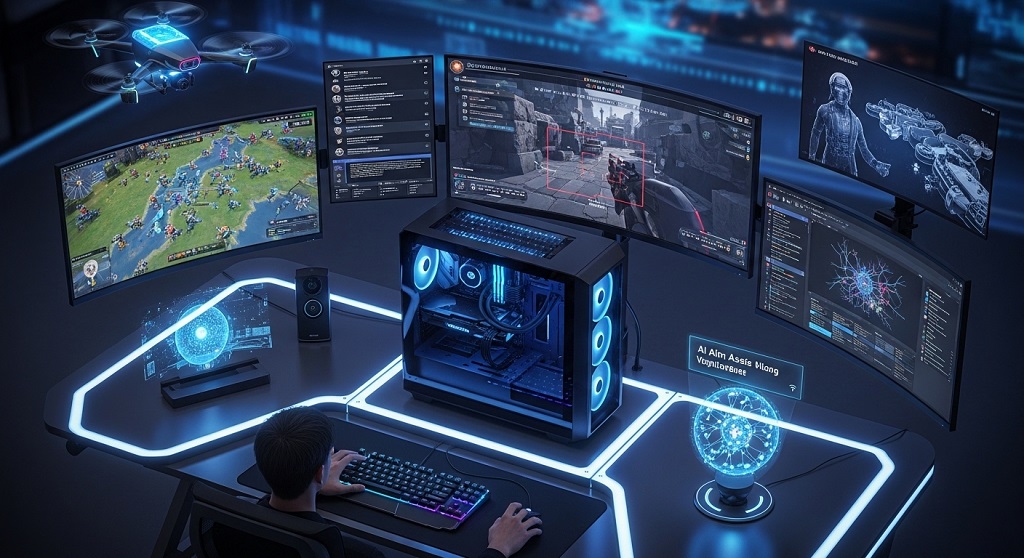
Snippet Answer: AI gaming tools improve performance by analyzing gameplay mistakes, optimizing system settings, enhancing aim training, reducing latency, automating repetitive actions, and providing strategic insights. Players use them to sharpen reflexes, predict enemy behavior, improve decision-making speed, and create smoother streaming experiences without manual adjustments.
Answer Block: AI tools improve gaming performance by tracking player behavior, analyzing mistakes, optimizing hardware usage, and suggesting tactical improvements. They reduce reaction delays, enhance targeting accuracy, and automate repetitive settings adjustments so players can focus on gameplay instead of technical troubleshooting.
Modern AI gaming assistants act like personal coaches. They review gameplay clips and detect positioning errors, poor timing decisions, and inefficient movement patterns.
Instead of guessing what went wrong after a match, players receive structured insights immediately. This shortens the improvement cycle dramatically.
AI also optimizes system performance automatically. It reallocates GPU resources, adjusts graphics dynamically, and stabilizes frame rates during heavy scenes.
Competitive players benefit from predictive strategy tools. These systems analyze opponent behavior patterns and recommend counter-actions in real time.
Streamers gain automated background noise removal, lighting correction, and voice clarity enhancement without expensive hardware upgrades.
Overall, AI converts gaming from trial-and-error learning into measurable performance training.
Which AI Tools Are Best for Gamers Right Now?
Answer Block: The best AI gaming tools in 2026 include NVIDIA Reflex Analyzer, Aimlabs AI Trainer, Medal.tv Smart Capture, Overwolf overlays, and NVIDIA Broadcast. These tools improve reaction time, recording efficiency, voice clarity, streaming quality, and performance optimization for both casual and competitive players.
Different AI tools solve different gaming problems. Selecting the right combination creates the biggest improvement.
| Tool | Main Function | Best For | Platform |
|---|---|---|---|
| NVIDIA Broadcast | AI voice and background cleanup | Streaming clarity | PC |
| Aimlabs AI Trainer | Aim improvement analytics | FPS players | PC |
| Medal.tv | Auto highlight capture | Content creators | PC |
| Overwolf | Real-time overlays | Strategy optimization | PC |
| NVIDIA Reflex | Latency reduction | Competitive gaming | PC |
These tools combine performance enhancement, automation, and analytics.
Instead of installing many random utilities, gamers should choose tools based on their playstyle: competitive FPS, streaming, casual multiplayer, or esports training.
How Can AI Help Improve Aim and Reaction Time?
Answer Block: AI improves aim and reaction time by tracking crosshair movement, detecting accuracy weaknesses, adjusting training difficulty automatically, and generating personalized drills. These systems simulate real opponents and help players build muscle memory faster than traditional practice methods.
Aim improvement used to depend on repetition alone. AI trainers now analyze movement precision frame-by-frame.
These systems detect whether players overshoot targets, react late to directional changes, or struggle with tracking fast opponents.
Instead of generic exercises, AI generates targeted training routines.
- Micro-correction tracking drills
- Speed-switch reaction tests
- Target prediction simulations
- Pressure-based timing challenges
This structured approach accelerates improvement dramatically.
AI also measures reaction latency across sessions. Players can track measurable progress rather than guessing improvement levels.
Professional esports players increasingly rely on AI-guided training because it produces consistent results faster than manual practice routines.
Can AI Optimize PC Settings Automatically for Better Gameplay?
Answer Block: Yes, AI optimization tools automatically adjust graphics settings, GPU allocation, background processes, and refresh synchronization to maintain stable frame rates. This improves responsiveness and reduces lag without requiring manual hardware tuning knowledge.
Performance tuning used to require technical expertise. AI now handles optimization instantly.
Modern tools monitor system load continuously. When GPU usage spikes, they adjust shadows, textures, and render scaling dynamically.
This keeps gameplay smooth even during intense scenes.
- Detect bottlenecks automatically
- Balance CPU and GPU workloads
- Disable background apps
- Stabilize frame pacing
Players gain performance improvements without sacrificing visual clarity unnecessarily.
Latency reduction systems like Reflex also synchronize rendering pipelines with input timing.
This creates faster response feedback between player actions and on-screen movement.
How Do AI Assistants Help With Strategy and Decision-Making?
Answer Block: AI assistants analyze match history, opponent behavior, map positioning, and timing patterns to recommend tactical decisions. These insights help players anticipate enemy moves, optimize positioning routes, and improve teamwork coordination during competitive matches.
Strategy improvement used to depend entirely on experience. AI now accelerates learning through pattern recognition.
These tools identify common mistakes such as poor rotations, unsafe positioning, or inefficient resource use.
Instead of reviewing long match recordings manually, players receive summarized tactical insights.
Some assistants even generate heatmaps showing where players lose fights most often.
This helps identify weaknesses quickly.
Team-based games benefit even more because AI detects coordination gaps between teammates.
Better positioning decisions often produce bigger performance gains than mechanical skill improvements.
How Can AI Improve Streaming and Content Creation for Gamers?
Answer Block: AI improves streaming by removing background noise, auto-framing webcams, generating subtitles, highlighting key moments, and enhancing lighting conditions automatically. These features help creators produce professional-quality content without expensive studio equipment.
Streaming quality affects discoverability and audience retention.
AI broadcasting tools handle technical adjustments automatically.
Examples include:
- Real-time voice enhancement
- Automatic camera tracking
- Scene switching suggestions
- Highlight detection for clips
Auto-clipping systems detect exciting gameplay moments instantly.
This reduces editing workload significantly.
Creators can publish more content consistently without hiring editors.
AI subtitles also improve accessibility and viewer engagement across platforms.
Are AI Coaching Tools Worth Using for Competitive Players?
Answer Block: Yes, AI coaching tools provide personalized performance insights, mistake tracking, training recommendations, and opponent behavior analysis. Competitive players use them to shorten improvement cycles and gain measurable advantages over opponents relying only on manual review.
Competitive improvement requires structured feedback.
AI coaching platforms deliver match-specific evaluations instead of generic advice.
They detect patterns across multiple sessions.
This reveals hidden weaknesses that players usually overlook.
Examples include:
- Timing inconsistency detection
- Positioning efficiency scoring
- Weapon accuracy analytics
- Movement optimization feedback
Players can track improvement trends weekly.
This transforms practice from repetition into measurable training progression.
What Is the Best Way to Start Using AI Gaming Tools Today?
Answer Block: The best way to start using AI gaming tools is by selecting one performance optimizer, one aim trainer, and one streaming enhancer. Installing too many tools at once reduces efficiency. Begin with measurable improvements and expand gradually based on gameplay needs.
Many players install too many utilities immediately.
This creates conflicts and reduces performance gains.
A structured setup works better.
- Install one optimization tool
- Add one aim training assistant
- Enable highlight capture automation
- Track performance changes weekly
Once improvements become visible, players can expand their toolkit gradually.
This prevents unnecessary system load while maximizing results.
Conclusion: How AI Transforms Gaming Performance in 2026
AI tools are no longer optional upgrades for gamers. They are practical performance accelerators that improve reaction speed, optimize hardware usage, refine strategy decisions, and simplify streaming workflows.
Instead of relying only on experience and repetition, players now improve through structured analytics and automated coaching insights.
This shortens the time required to reach higher skill levels significantly.
Even casual players benefit from smoother gameplay, clearer communication audio, and automated highlight creation.
Competitive players gain measurable advantages through predictive analytics and targeted training routines.
Start with one optimization tool, one aim trainer, and one streaming enhancer. Track progress weekly and expand your setup gradually.
Gamers who adopt AI assistance early will adapt faster and perform better as competitive environments continue evolving.
FAQ: AI Tools for Gaming in 2026
Do AI gaming tools increase FPS automatically?
Yes. Many AI optimizers adjust graphics settings dynamically and disable background processes to stabilize frame rates and reduce system load during gameplay.
Are AI aim trainers better than traditional practice?
Yes. AI aim trainers analyze accuracy weaknesses and generate personalized drills that improve reaction speed faster than repetition-only practice methods.
Can AI tools help beginners improve faster?
Yes. Beginners benefit from automated feedback that identifies mistakes early, helping them avoid inefficient habits and develop stronger fundamentals quickly.
Do AI streaming tools require expensive hardware?
No. Most AI streaming enhancements work with mid-range PCs and improve audio clarity, lighting balance, and framing without additional equipment.
Are AI overlays allowed in competitive games?
Most analytics overlays are allowed, but tournament environments may restrict them. Players should verify rules before using overlays during official matches.
Can AI tools reduce gaming latency?
Yes. Latency-reduction tools synchronize rendering pipelines and input timing to improve responsiveness during fast-paced gameplay.
What is the safest way to choose AI gaming apps?
Choose trusted tools from major developers and avoid unofficial automation software that modifies gameplay behavior beyond performance optimization.
Read More Also: How to Host a Minecraft Server for Beginners (Simple Setup)
Learn More: How to build a carbon-neutral gaming setup without losing performance