You can play text based adventure games online right now, for free, directly in your browser no downloads, no installs, and no fancy hardware required. Sites like itch.io, Interactive Fiction Archive (IFDB), and browser-based interpreters like Parchment let you jump into classic and modern interactive fiction in seconds. All you really need is a web browser and a bit of patience for typing commands.
If you grew up on games like Zork or Colossal Cave Adventure, or you’ve just heard about the genre and want to see what the fuss is about, getting started is a lot simpler than it looks. The tricky part isn’t finding a game it’s knowing where to look, which format your game uses, and how to actually talk to it once it loads.
This guide walks through exactly that: the best places to find text adventures online, how to run them without downloading anything, the basic commands you’ll need on day one, and a few tips that most beginner guides skip entirely.
What Are Text Based Adventure Games, Exactly
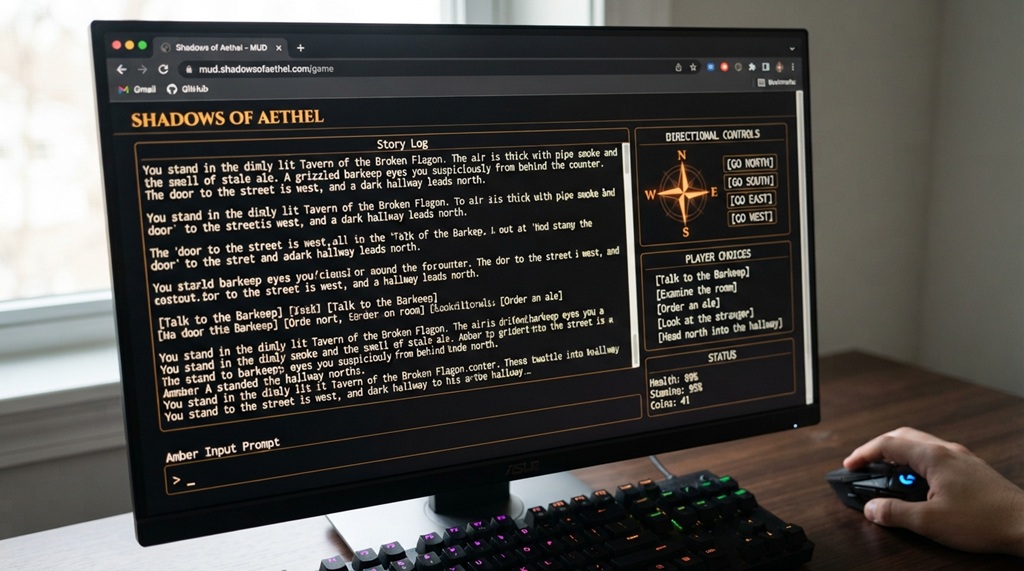
Text based adventure games (also called interactive fiction) are games you play by typing commands instead of clicking buttons or moving a joystick. The game describes a scene in words, you type what you want to do, and the story responds and changes based on your input.
Unlike graphic adventure games, there’s no artwork guiding you – your imagination fills in the world. A typical exchange looks like this:
You are standing in an open field west of a white house, with a boarded front door. There is a small mailbox here. > open mailbox Opening the mailbox reveals a leaflet.
That example is from Zork, one of the genre’s founding titles, and it shows the core loop of almost every text adventure: read, type, react. Modern entries in the genre range from short, five-minute puzzle boxes to sprawling, choice-driven narratives that rival full-length novels.
Where to Play Text Adventure Games Online for Free
The fastest way to jump into a text adventure is through browser-based platforms, which let you play instantly without downloading game files or interpreters. These web hosts run classic interactive fiction right in your browser, and if you appreciate the deep world-building and player freedom found in these text worlds, those same emergent storytelling elements translate smoothly to visual sandbox environments is Minecraft worth playing in 2026? How to pick a version to see if another player-driven world fits your style.
Interactive Fiction Archive (IFDB and IFComp)
The Interactive Fiction Database (IFDB) is essentially the genre’s central library. It catalogs thousands of games, complete with reviews, ratings, and for many titles a “Play Online” link that opens the game directly in your browser using a built-in interpreter. The annual Interactive Fiction Competition (IFComp) is also a great entry point, since every entry is free, playable online, and represents some of the best new writing in the genre each year.
itch.io
itch.io hosts an enormous number of independent text adventures, many of them free and browser-playable without any download. It’s less curated than IFDB, so quality varies more, but it’s also where a lot of experimental and modern interactive fiction lives including games built in newer tools like Twine, which blend text adventures with clickable choices.
Parchment and Other Online Interpreters
Older text adventures were built in formats like Z-code or Glulx, which traditionally needed a separate program called an “interpreter” to run. Parchment solves this by running those interpreters inside your browser using JavaScript, so a game file that’s decades old can still load and play instantly on a modern phone or laptop. Many IFDB game pages already have Parchment built in you just click play.
How to Actually Start Playing a Game (Step-by-Step)
Getting into your first game takes about a minute once you know the process.
- Pick a site – start with IFDB if you want a curated, beginner-friendly list, or itch.io if you want more variety.
- Filter for browser play – on IFDB, look for games tagged as playable online; on itch.io, look for a “Run game” or embedded play button on the game’s page rather than a “Download” button.
- Open the game page – it should load directly into a text window inside your browser, no plugin required.
- Start typing – the game will usually open with a scene description; type a simple command like
lookorinventoryto get oriented. - Save your progress if the game supports it – many browser interpreters let you save your session as a file you can reload later, since there’s often no automatic cloud save.
That last step catches a lot of newcomers off guard closing the browser tab can sometimes lose your progress, so it’s worth checking the game’s save/restore commands early rather than after an hour of exploring.
Essential Commands Every Beginner Should Know
Text adventures share a common command vocabulary, even across different games and years of design history.
Movement and Exploration
Most games accept compass directions like north, south, east, west, or their abbreviations (n, s, e, w), along with up, down, in, and out. Typing look (or just l) will re-describe your current location, which is useful if you’ve scrolled past the original text.
Interacting With Objects
Common verbs include take, drop, open, close, push, pull, examine (often shortened to x), and use. If a command doesn’t work, try rephrasing it text parsers are picky, and examine door might work where check out door fails.
Managing Your Game
Type inventory (or i) to see what you’re carrying, save to store your progress, and restore to load a previous save. Typing help or about inside most games will show any custom commands specific to that title, since not every game uses identical syntax.
Choosing the Right Type of Text Adventure for You
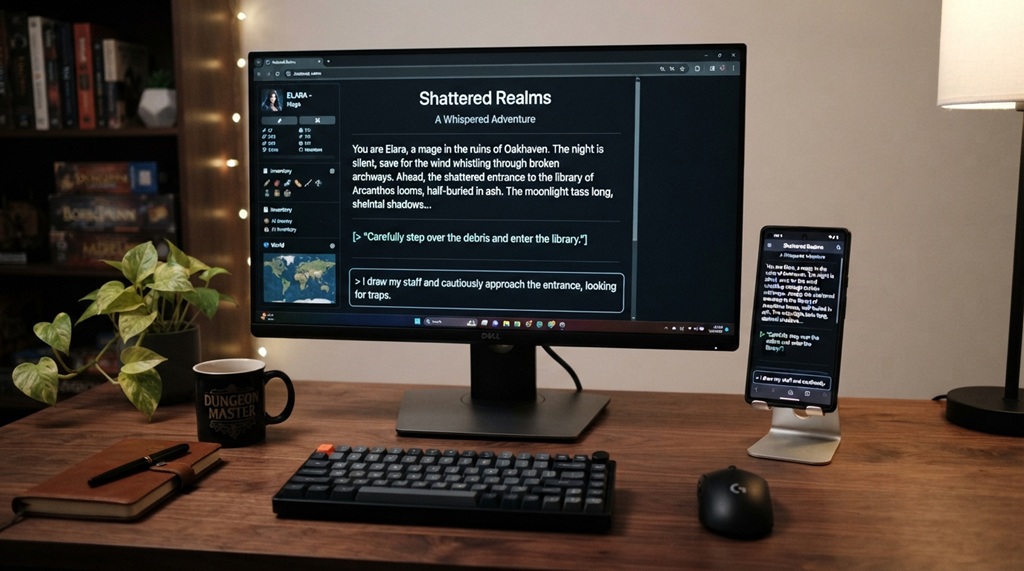
Not every text-based game plays the same way, and picking the wrong style first is the most common reason people bounce off the genre.
Parser-based games
(Zork or Colossal Cave Adventure) require you to type full commands and figure out the correct verb-noun combination yourself. They’re the closest thing to the genre’s roots and reward patience and experimentation, but they can feel unforgiving to total beginners.
Choice-based games
(Built in tools like Twine or ChoiceScript) give you a list of options to click or select instead of free typing. These are far more approachable for newcomers and are often heavier on story and character than on puzzle-solving.
If you’ve never played a text adventure before, starting with a short choice-based game on itch.io is genuinely the easier on-ramp you get a feel for interactive storytelling before wrestling with a parser’s exact wording requirements.
Tips for Getting More Out of Text Adventures
A tip that most guides skip: keep a simple text file open alongside your game as a manual map and item log. Because there’s no visual map in most parser-based games, players who track room connections and item locations on their own tend to solve puzzles far faster than those relying purely on memory this is actually how many players experienced these games back before walkthroughs were a click away, and it still works better than repeatedly typing “look” to reorient yourself.
A few other things that make a real difference once you’re past your first game:
- Read item descriptions twice. Puzzle solutions are often hidden in a detail you skimmed past the first time.
- Try synonyms when a command fails. If “open door” doesn’t work, try “unlock door” or “push door” before assuming it’s not interactive.
- Check a game’s IFDB page for its expected playtime. Some are five-minute experiences; others take ten-plus hours, and knowing which you’re starting helps you pace yourself.
- Don’t be afraid to use a walkthrough after a genuine effort. Getting stuck on parser wording rather than puzzle logic is common, and it’s not “cheating” to look up phrasing once you’ve tried the obvious commands.
FAQ
Do I need to download anything to play text adventure games online?
No. Most modern hosting sites like IFDB and itch.io let you play directly in your browser using built-in interpreters such as Parchment. Downloads are only necessary if you want to play offline or use a specific standalone interpreter program.
Are text based adventure games free to play?
The vast majority are free, especially independent and hobbyist titles on IFDB and itch.io. Some longer or professionally published interactive fiction titles are sold on platforms like Steam, but free options vastly outnumber paid ones.
What’s the difference between a text adventure and interactive fiction?
“Text adventure” traditionally refers to parser-based games where you type commands, while “interactive fiction” is a broader umbrella that includes choice-based and hybrid formats too. In casual conversation, most players use the terms interchangeably.
Can I play text adventure games on my phone?
Yes, browser-based interpreters like Parchment work on mobile browsers, though typing commands on a phone keyboard is slower than on a desktop. Choice-based games tend to work especially well on mobile since they rely on tapping options rather than typing full sentences.
What’s a good first text adventure for a total beginner?
Many players recommend starting with a short, well-reviewed choice-based game on itch.io before moving to parser-based classics like Zork. This lets you learn how interactive fiction paces its storytelling before you take on the added challenge of guessing exact command wording.
Final Thoughts
Playing text based adventure games online is as simple as picking a site, opening a game, and typing your first command the barrier to entry is genuinely just a browser and a few minutes. Start with a curated source like IFDB or a browser-friendly title on itch.io, get comfortable with the basic command vocabulary, and don’t be afraid to try a choice-based game first if full-text parsing feels intimidating. The genre rewards curiosity more than any technical skill, and once the format clicks, it opens the door to decades of some of the most creative storytelling in gaming.